
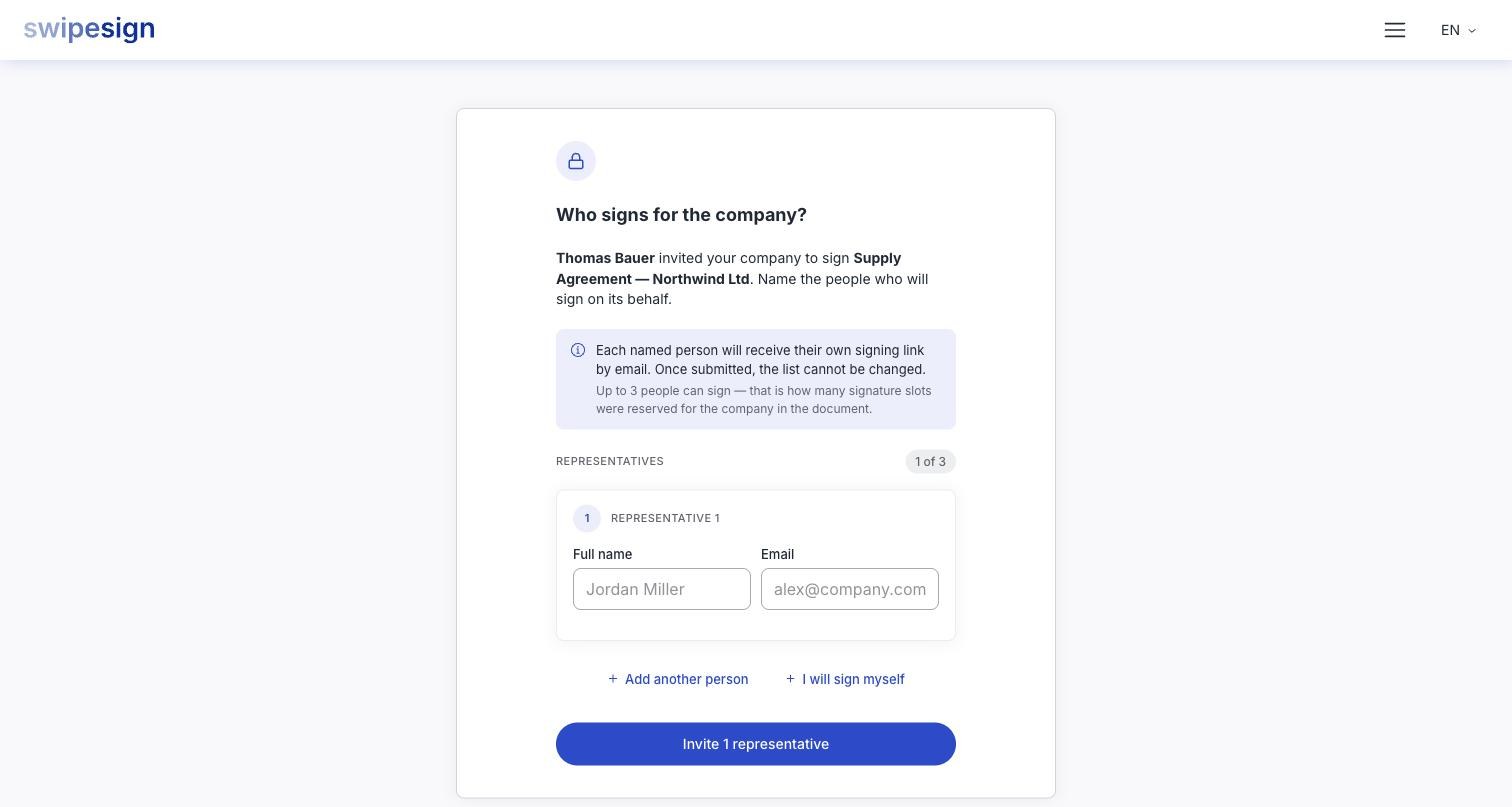
Most signing links are addressed to a person. Some are addressed to a company, and a company cannot hold a pen. So the first screen does not show the document at all. It asks: Who signs for the company?
Whoever opens that link names the people who will actually sign. Each of them then gets their own link and signs in their own name, on behalf of the company.
Why it works this way
A contract with a company is binding because the people who signed it could bind that company. Who those people are is something the company knows and the sender usually does not: signing authority sits in statutes, powers of attorney and internal rules the other side has no sight of.
Naming the signers on the company side puts the decision where the knowledge is. The sender addresses the company; the company answers with the people. Both halves of that exchange are written into the audit trail, so the finished document shows not just who signed, but who nominated them and when.
It also solves the practical problem underneath: two-signature rules. Where a company needs a managing director and a proxy to sign together, both are named here and both sign: rather than the sender having to know the rule in advance and set up two separate recipients.
Naming the signers
- 1Fill in a full name and an email address for the first person. Both are required.
- 2Add another person for each further signer. I will sign myself fills your own address in, if you are one of them.
- 3Add a phone number where the form asks for one. It appears when the signature type needs it, and is compulsory when the sender protected the document.
- 4Submit the list. Everyone on it is emailed their own signing link.
Up to three people
Fewer than three is fine. One is fine. If your company genuinely needs a fourth signature, the sender has to add that person as their own recipient on the document instead.
You get one attempt
Come back to the link afterwards and you see the list you sent, marked Invited, and nothing else. Each address must also be different from the others; the form rejects the same person twice.
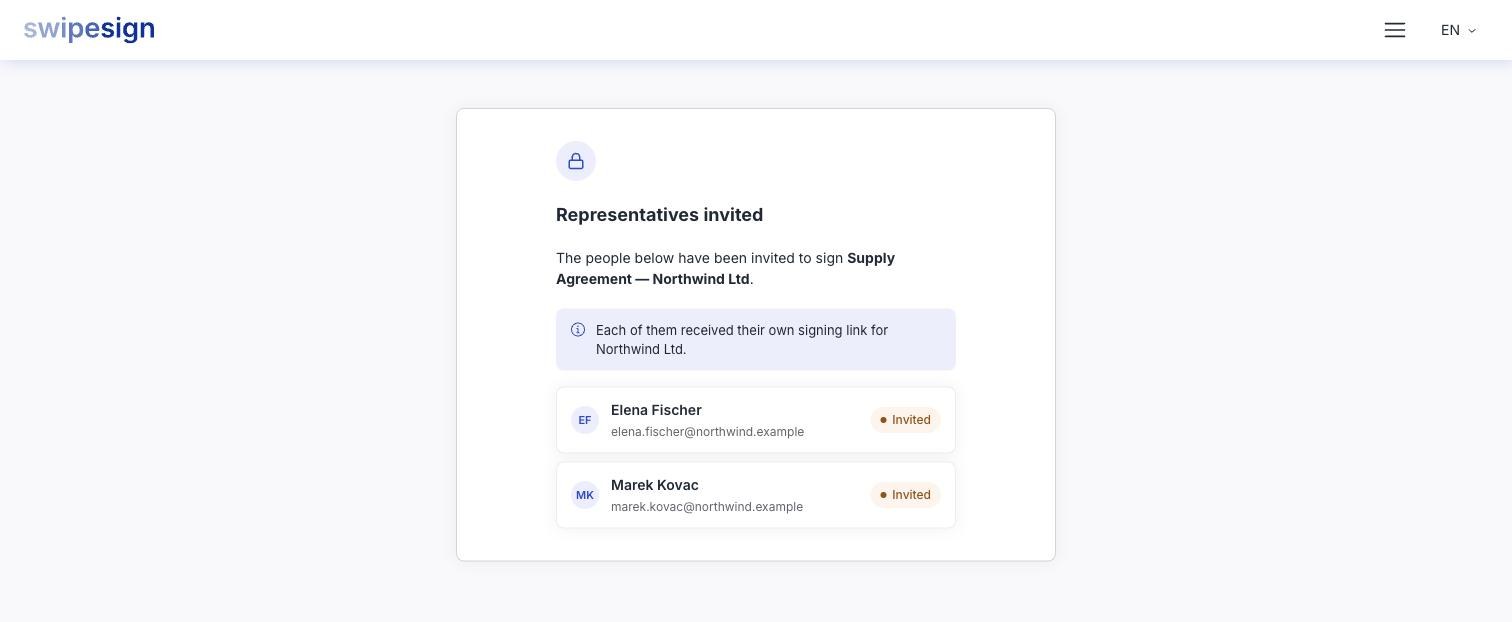
If it does go wrong, the sender is the one who can fix it: by cancelling the workflow and sending it again.
What the named people see
An ordinary signing invitation, with one addition: their welcome screen says they are signing on behalf of the company. From there it is the normal process: read, swipe, prove who you are. See You have been asked to sign.
Their signatures land on the document's signature page rather than in a field placed by the sender, since the sender could not know how many people the company would name.