
Everyone who receives the document is added under Signers & viewers in the right-hand panel. Click + Signer to start.
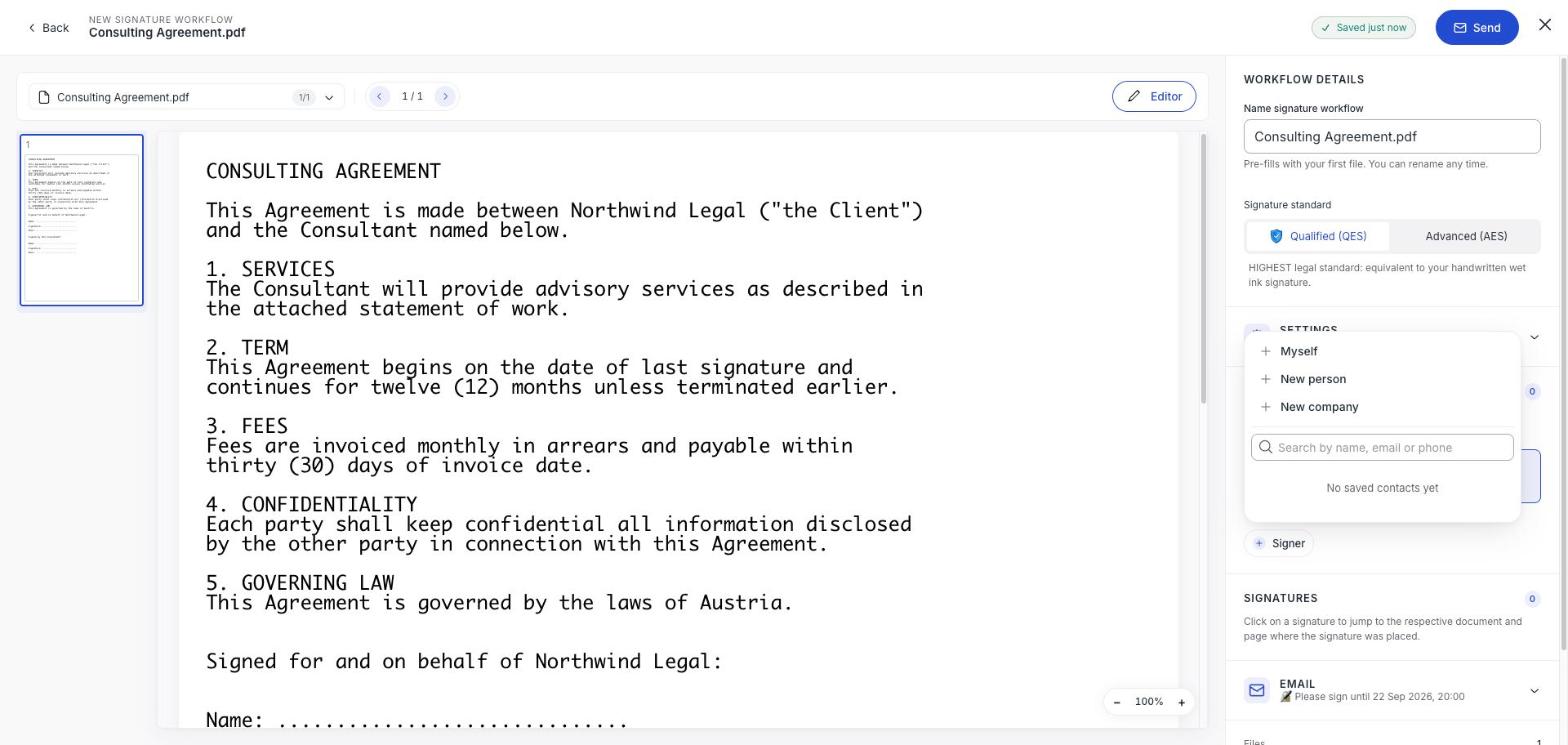
| Option | Use it for |
|---|---|
| Myself | Adding yourself as a signer. Faster than typing your own details. |
| New person | Anyone else: they need no account. |
| New company | A business rather than a named individual. Their contact nominates who signs. See Have a company sign. |
| Search | Someone in your saved contacts. Type a name, email or phone number. |
Filling in a person
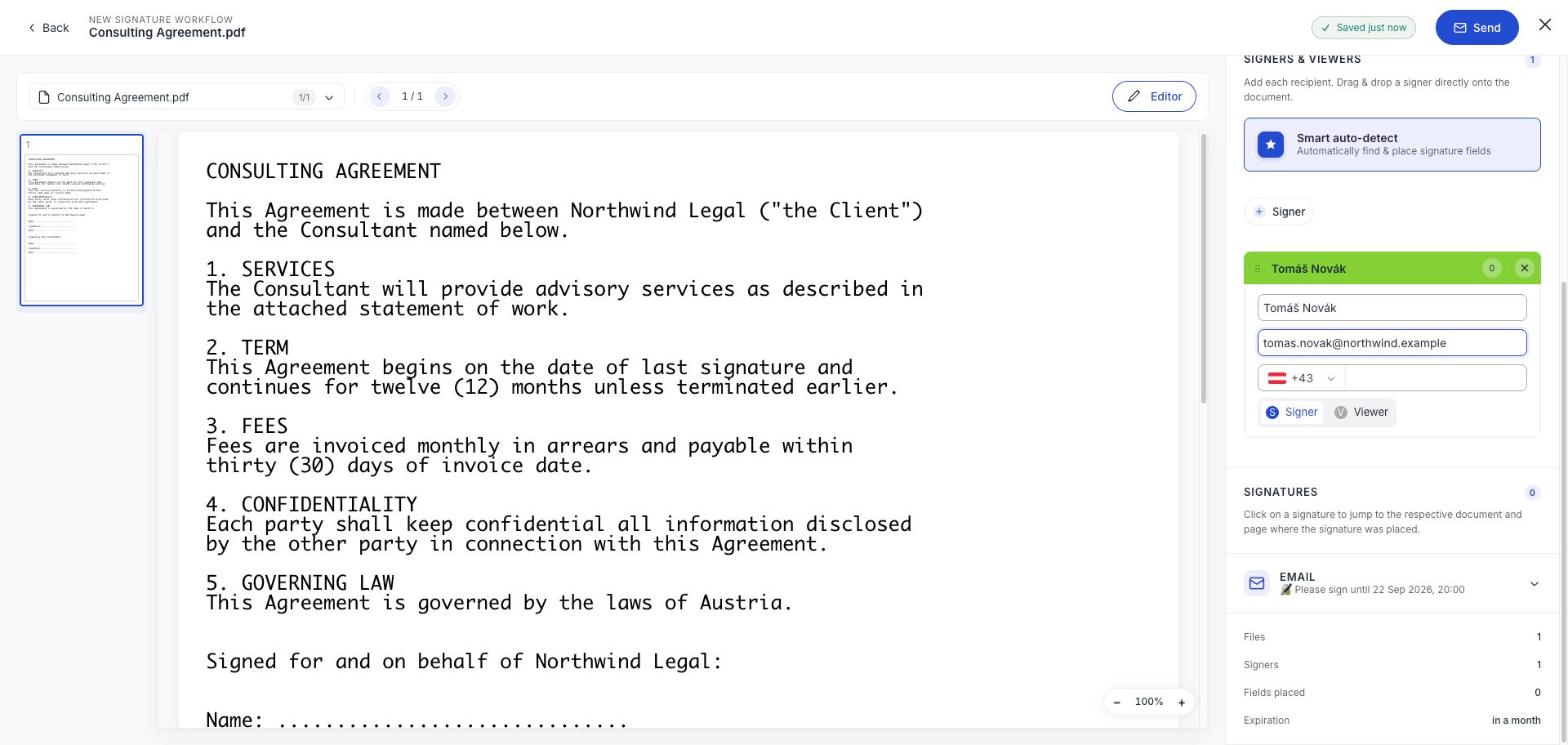
Each recipient gets a card. Name and email are what matter; the phone number is only needed if you switch on PIN protected document access.
Signer or viewer
The toggle at the bottom of each card decides what that person does.
- Signer: signs the document. Needs at least one field placed for them, and uses one signature from your allowance.
- Viewer: receives it and can read it, but signs nothing. Uses no allowance. Good for the person who needs a copy but has no part in the agreement.
Reviewers are separate
A reviewer approves or rejects the document before it goes anywhere, without signing. They aren't added here: switch on Add reviewer(s) under Settings first.
Only signers cost you anything
Viewers and reviewers use no signature allowance, and none of the three needs a swipesign account. Send to as many people as you like: just be aware that four signers on one document is four signatures, not one. See What counts against your allowance.
Placing their fields
Adding somebody does not give them anywhere to sign. Each signer needs at least one field on the document: drag them straight from their card onto the page, or use Smart auto-detect. See Place signature fields.
Check the count before you send
The summary at the bottom of the panel shows Signers and Fields placed. If fields placed is lower than your signer count, somebody has nowhere to sign.