
Open Settings in the right-hand panel of the builder. Everything here applies to this one workflow.
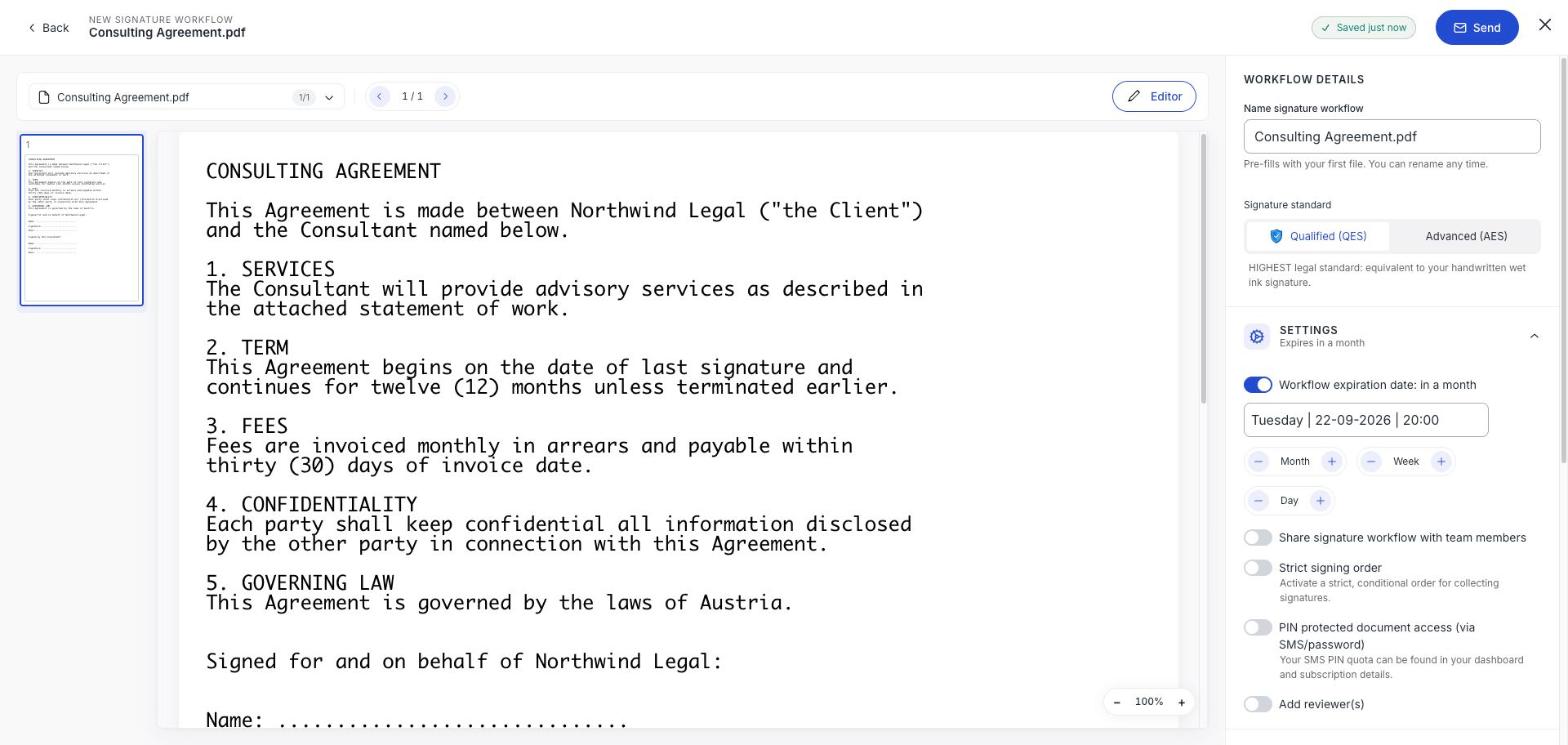
Workflow expiration date
On by default, set to a month out. Use the Month, Week and Day steppers to move it, or type a date. When it passes, the workflow moves to Expired and the links stop working.
Give people more time than you think they need. Chasing a signer whose link died is more work than setting a longer date at the start.
Share signature workflow with team members
Off by default, which means only you can see this workflow. Turn it on and your colleagues can find it too: worth doing for anything the team needs to pick up while you're away.
Strict signing order
Off by default: everyone gets the document at the same time and can sign in any order. Turn it on and each person is only invited once the person before them has signed.
Use it when order genuinely matters: an employee signing before the director countersigns. Leave it off otherwise, because a strict order is only as fast as your slowest signer.
PIN protected document access
Off by default. Turn it on and recipients have to prove who they are before the document will open. It's the difference between 'anyone with this link can read it' and 'only this person can'.
You don't choose which challenge each person gets and neither do they: swipesign asks for whatever it can already tie to them. Guests get a code by text; recipients with a swipesign account are asked for their own password or PIN. There is no password you set and pass on. See Opening a protected document.
Add reviewer(s)
Off by default. Turn it on to add people who approve or reject the document without signing it: an internal legal check before it goes out, for instance. Reviewers don't use any of your signature allowance. See Add signers, viewers and yourself.