
Product tour

swipesign
All features

From a PDF on your digital desk to a binding, qualified signature: the whole flow, with every tool around the signature.

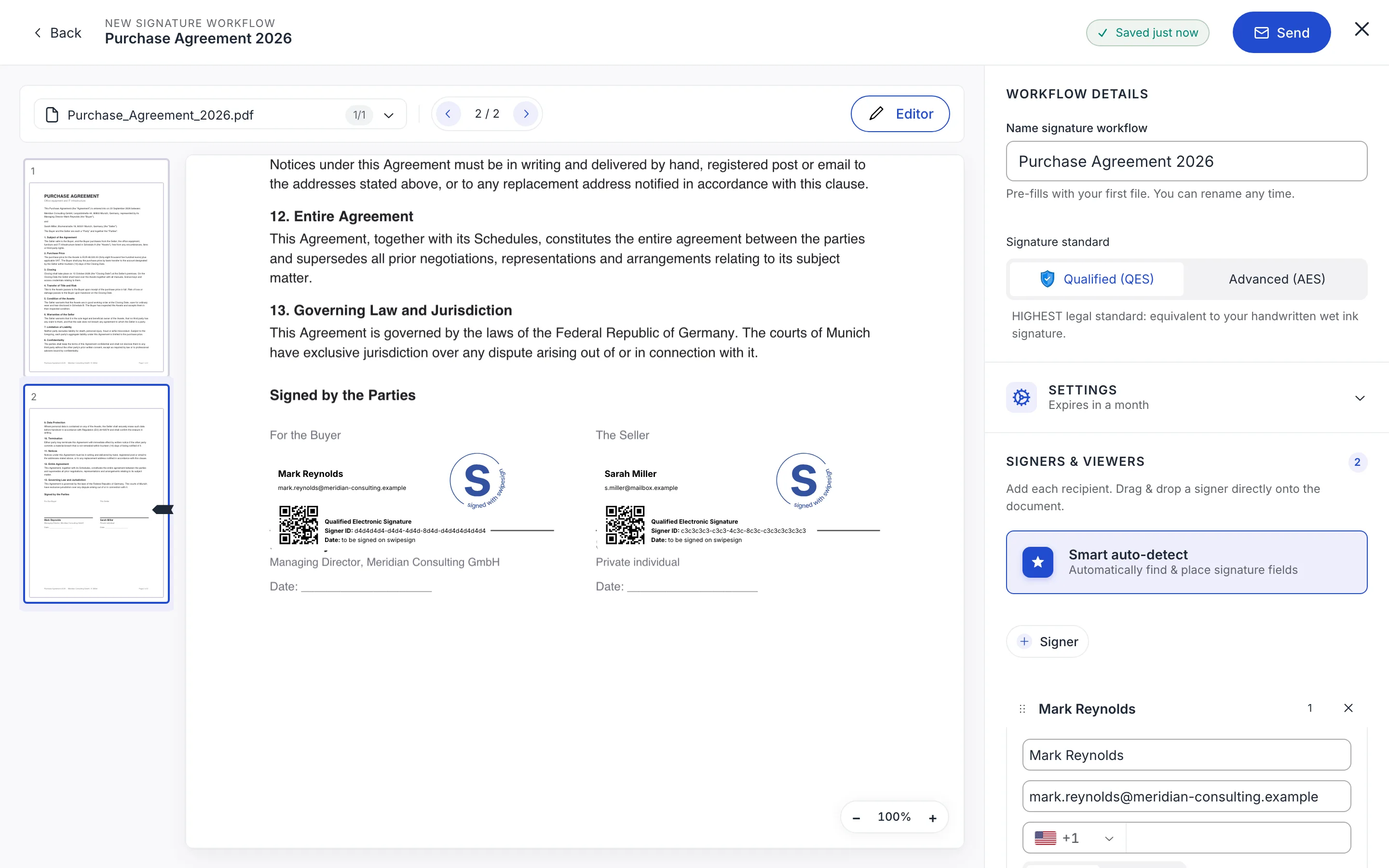
app.swipesign.io · New signature workflow
swipesign signature workflow: placing signature fields and adding signers with QES selected
The flow

Three steps to a signature

  1. 1

    Upload & prepare

    Drop in a PDF or start from a template. Fix the last typo in the editor; swipesign summarises the long ones and suggests where the signature fields go.

    Editor ↓Smart ↓

  2. 2

    Invite & verify

    Add signers, choose AES or QES, and guided identity verification handles the rest. Don't know who signs? Send it to the company and let them nominate.

    Delegation ↓Forms ↓

  3. 3

    Sign & archive

    Signers sign with one swipe. You get a sealed PDF/A with a court-admissible audit trail, and share it safely with whoever needs it.

    Safe transfer ↓

Around the signature

Every tool, included in every plan

Built-in PDF editor

Fix the document without leaving swipesign

Spotted a typo on the way out? A wrong date, a misspelled name? Edit the PDF directly in the app: no exporting to another tool, no re-uploading, no broken version history. The document you fix is the document you send.

  • Inline text edits
  • No re-export or re-upload
  • One clean version history
BIULive edit
8. Delivery

The Supplier delivers the Goods to the Buyer’s registered address in Vienna no later than

by Marh March 31

Late delivery entitles the Buyer to a rebate of 2% per started week.

Smart features

It reads the long ones so you don't have to

For the 60-page agreements, swipesign does the heavy lifting: a clear, plain-language summary of what the document actually says, and suggested signature-field placement so nothing important is buried deep in the file.

  • Plain-language summaries
  • Suggested signature fields
  • Nothing buried on page 40
Summary

Purchase agreement between Purcell Estates Ltd and G. Holst.

Price €412,000 · deposit due within 14 days of signing.

Both parties sign; the notarised copy is filed after completion.

Suggested signature fieldp.42
Unknown signer

Don't know who signs? Just send the email

Address the request to a company, not a named person. The recipient nominates the right signers on their side, and if you need to know who they are first, they complete a short form before anything is signed.

  • Send to a company inbox
  • Recipient nominates signers
  • Optional short form first
From
legal@acme.example
Acme nominates signers
JDMLRSshort form
Interactive PDFs

Capture the right data before the signature

Give each signer fields they must complete before they can sign: names, ID numbers, dates, declarations. The data is captured cleanly at the source and bound into the signed record, so what you get back is structured, not scribbled.

  • Required fields before signing
  • Structured data at the source
  • Bound into the signed record
Required before signing
Full nameHenry Purcell
Date
Swipe to signunlocks when complete
Safe data transfer

Share sensitive files safely, before and after the signature

Some documents need to be shared before signing, others after: financials, draft contracts, board papers. swipesign shares them under the same trust framework as a signature: every recipient verified, every access checked, every open and download written to a tamper-evident trail.

  • Verified-identity access gate
  • Person-level access control
  • Tamper-evident access trail
Up to 10 GB
Acquisition_NDA.pdf2.4 MB · encrypted
Protected
Identity gate
Access trail
Henry PurcelleID verifiedopened · 09:14
G. HolstWebID verifiedopened · 09:31
Unknown accessBlocked09:47
One platform, one price

All of it included: no add-on, just spot-on

Set up in minutes. Send your first qualified signature right away.