
On the new-workflow screen, under the upload area, there is a second option: Create a PDF from scratch. It gives you a blank page to type into rather than a file to upload.
The editor
A blank Untitled.pdf is created and the Editor button at the top of the document opens it for editing.
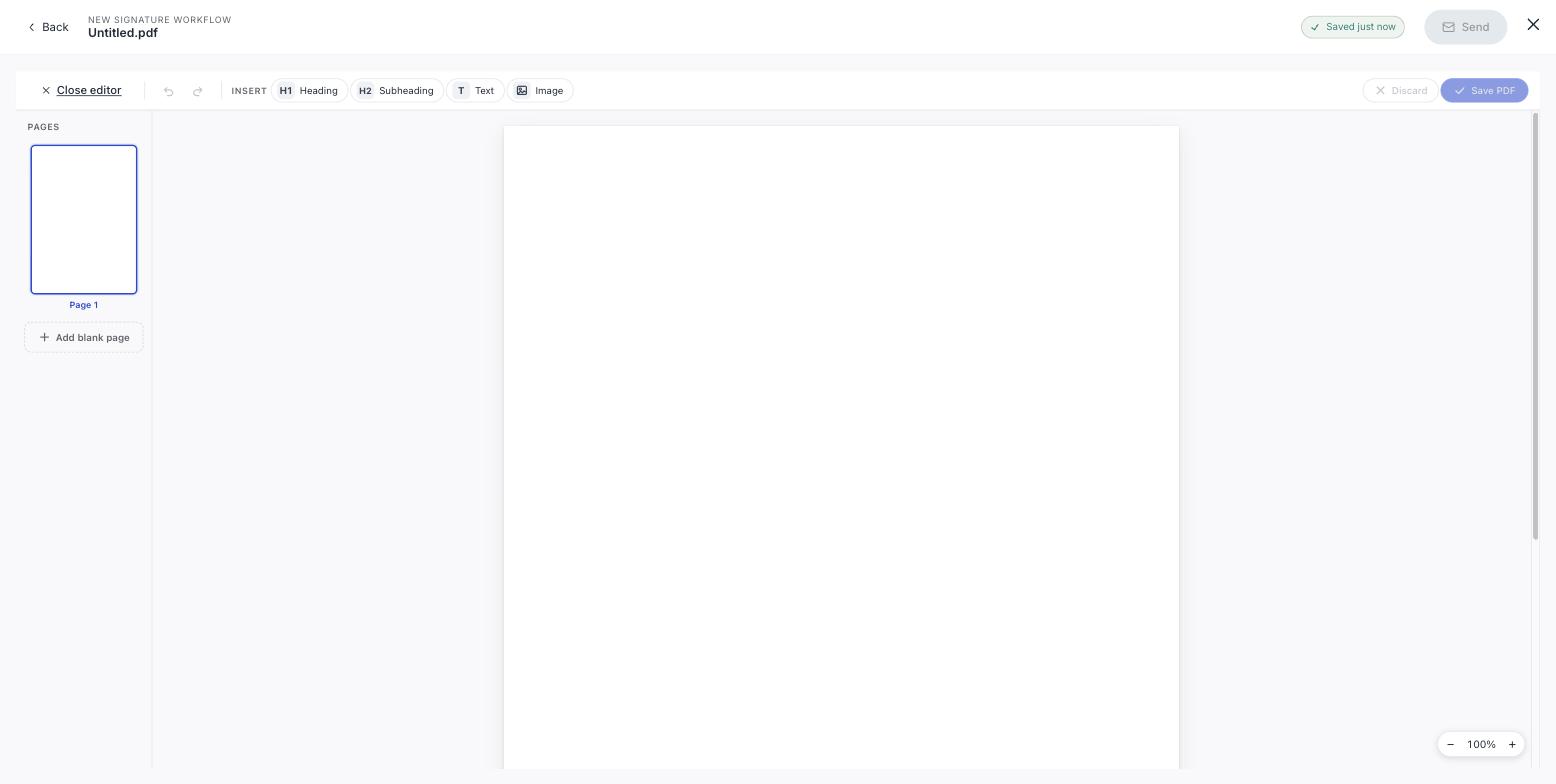
| Control | Does |
|---|---|
| H1 Heading | A document title or main section heading |
| H2 Subheading | A section heading below that |
| T Text | A block of body text |
| Image | Place an image, a logo, a diagram, a scanned signature block |
| Add blank page | Extend the document; pages are listed in the rail on the left |
Undo and redo sit next to the insert controls. Save PDF commits your changes, Discard throws them away.
Then carry on as normal
Close the editor and you are back in the ordinary builder with your document in place. Rename the workflow, add signers, place their fields and send. See Place signature fields.
Rename it
It is called Untitled.pdf until you change it, and that is the name your recipients see in their invitation. Give it a real one before you send.
When this is the right tool
Short, simple documents where opening a word processor is more effort than it is worth, a one-page letter of intent, a simple acknowledgement, a brief authorisation.
It is not a word processor
Headings, text and images: nothing more. Anything with tables, numbered clauses or careful formatting is better written in Word and uploaded: swipesign converts DOCX for you. See Supported files and sizes.