
If your invitation says Your review is required rather than asking you to sign, you are a reviewer. You are being asked to clear the document, not to be a party to it. Your name will not appear on it and no signature is created for you.
This is the internal check before a document goes out: legal reading a contract before the managing director signs it, finance checking the figures on an order.
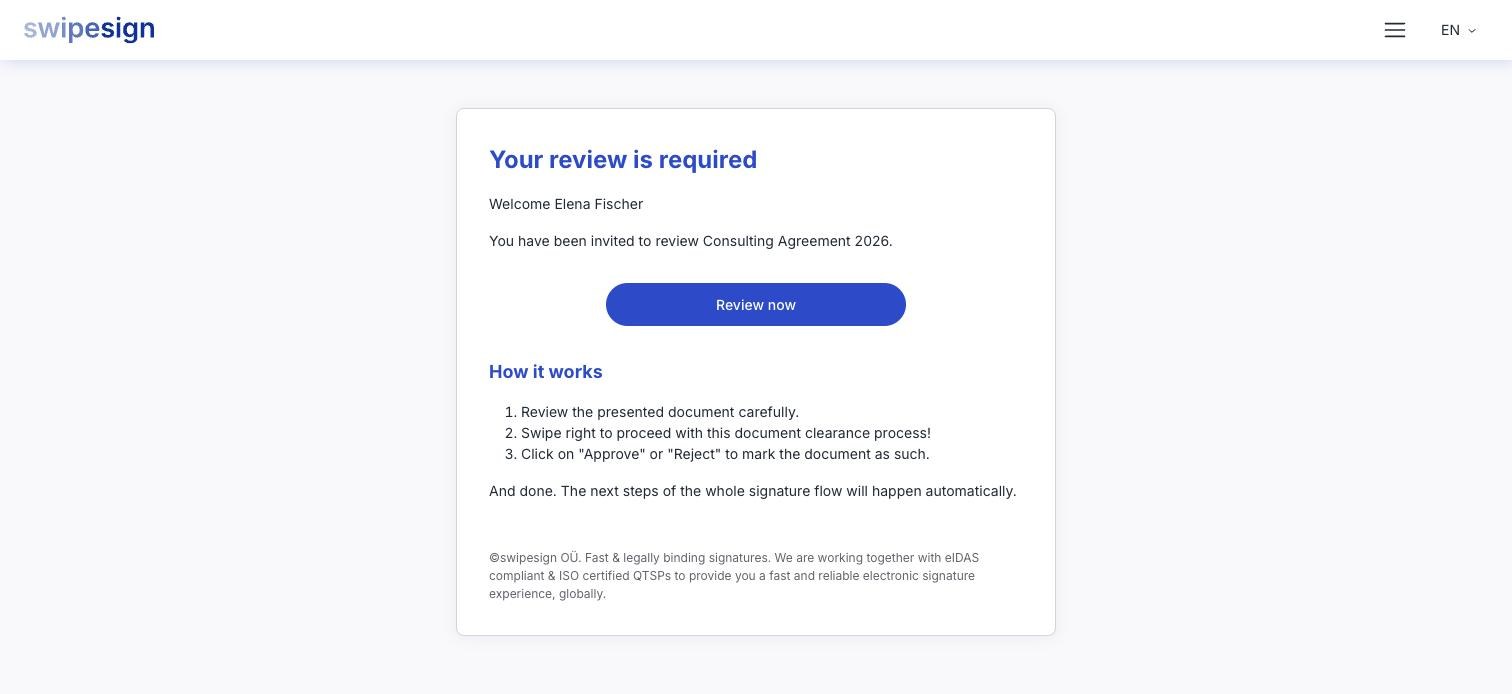
What you do
- 1Open the link and click Review now.
- 2Read the document. You see every file in the workflow and can move between them, exactly as a signer would.
- 3Swipe to confirm you have read it.
- 4Choose Approve or Reject.
That is the whole of it. There is no identity check, no code by text and no trust service provider, a review is a decision, not a signature, so nothing has to be issued to you.
What each decision does
| Decision | What happens next |
|---|---|
| Approve | The workflow carries on by itself. Signers are invited in turn and nobody has to restart anything. |
| Reject | The whole signature workflow is cancelled, immediately. Nobody signs, and outstanding signing links stop working. |
There is no way to reverse either decision, and no way to reopen a rejected workflow. The sender starts a fresh one with the corrected document.
Say why, separately
The review screen has no comment box. Approve and Reject are the only two things it records, so any reasoning has to reach the sender another way: reply to their email, or tell them before you decide.
If you have already decided
Going back to your link shows what you chose and nothing more. Reviews are one-shot, and a second attempt is refused with a message saying the document has already been reviewed.
A different message, that the document is not in review state, means the decision was taken out of your hands: another reviewer rejected it first and the workflow is already closed.
When several people are reviewing
The sender can ask more than one person, and the two decisions are not symmetrical. Every reviewer has to approve before the document moves on to the signers. Any one rejection cancels it for everybody.
So an approval on its own changes nothing visible: you may well be waiting on a colleague. Nobody is notified until the last review is in.
Reviewers and signers on one document
Reviewers go first: their clearance is what releases the document to the signers, who are not invited until then. Being a reviewer does not stop the sender adding you separately as a signer: you would get two invitations, one for each role.