
Nobody can make you sign. But it is worth being clear about what the signing screen can and cannot do, because the obvious move, closing it, or clicking Cancel, does not communicate a refusal to anyone.
What stopping actually does
If you back out partway through, you land on a screen headed Signature process was canceled. Read it closely: it says you have stopped for now, that your progress is saved, and that the link in your email will still bring you back.
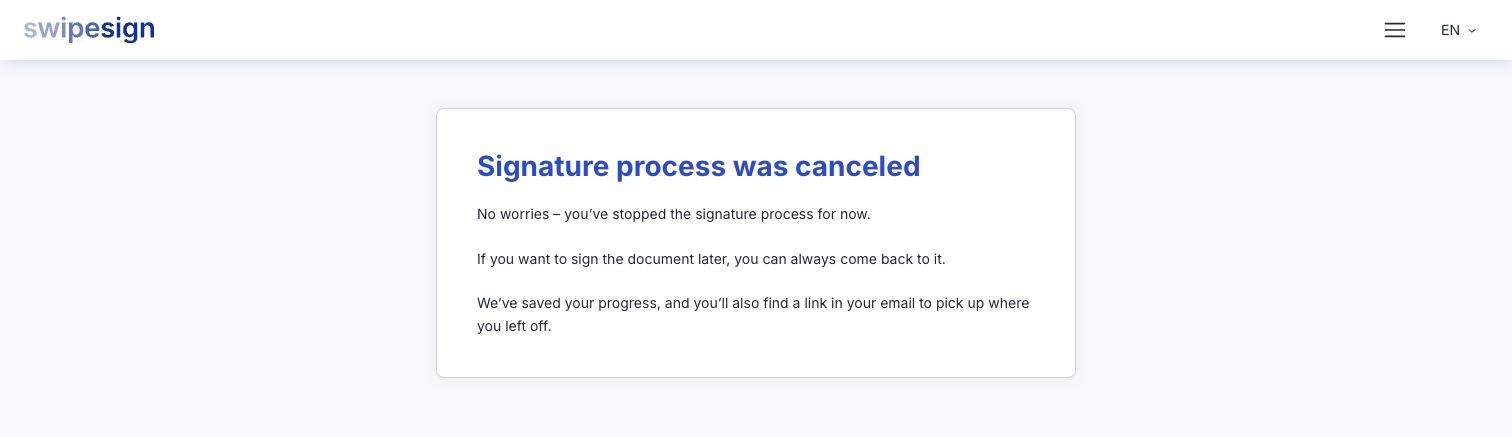
That is exactly what happens underneath. Your place on the document returns to waiting-to-sign, and if a trust service provider had already started issuing your signature, that half-finished session is cancelled with them cleanly. The link keeps working until the workflow expires.
The same is true of simply closing the tab. Reading a document commits you to nothing at all.
How to actually refuse
Reply to the person who sent it. Their name and email address are on the invitation and on the welcome screen, so you always have a way to reach them.
Only they can close the workflow, and they should: an abandoned one sits open, sends reminders, and eventually expires without anyone learning why. A sentence to the sender saves everybody that.
What the sender can see
They see that you opened the document, and if you got as far as swiping, the audit trail records that a signature was started and stopped. What it cannot record is why: that part only exists if you say it. See What the sender can see.
If you were asked to review, not sign
Then you do have a Reject button, and it is decisive: it cancels the whole workflow for every recipient. See Reviewing and approving instead of signing.
If you should not have received it at all
Wrong person, wrong company, or a document you have nothing to do with: tell the sender so they can correct the address and stop the reminders. If you did not expect the email and are unsure it is genuine, check Is this email really from swipesign? before opening anything.