
Every signature workflow sits in exactly one of five states. Documents in the sidebar splits them out, and the filter pills across the top of the list carry a live count of each.
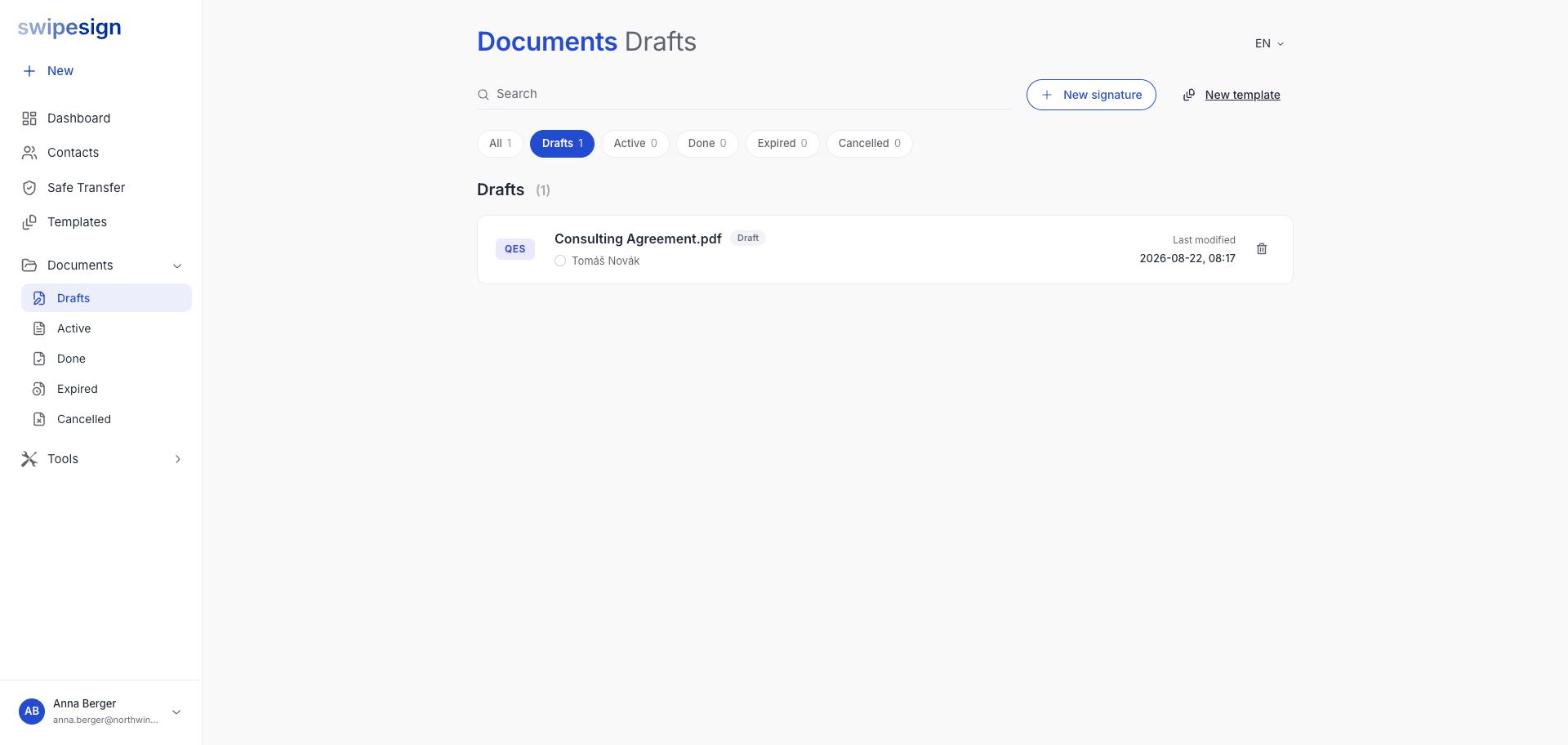
| Status | Means | You can |
|---|---|---|
| Draft | Built but not sent. Nobody has received anything. | Edit everything, or delete it |
| Active | Sent and out with your recipients. One or more have yet to sign. | Remind, resend, or cancel |
| Done | Everyone has signed. The document is complete. | Download the document and the audit trail |
| Expired | The expiry date passed before everyone signed. Links no longer work. | Start again with a new workflow |
| Cancelled | You stopped it before it completed. | Nothing: it is closed |
How a document moves
A workflow starts as a Draft the moment you upload a file, and saves as you go: you can close the tab and come back.
Pressing Send moves it to Active. From that point the content is fixed: the send dialog warns you that a sent workflow cannot be edited, only cancelled.
When the last signer finishes, it becomes Done and the completion date appears on the row. If the expiry date arrives first, it becomes Expired instead.
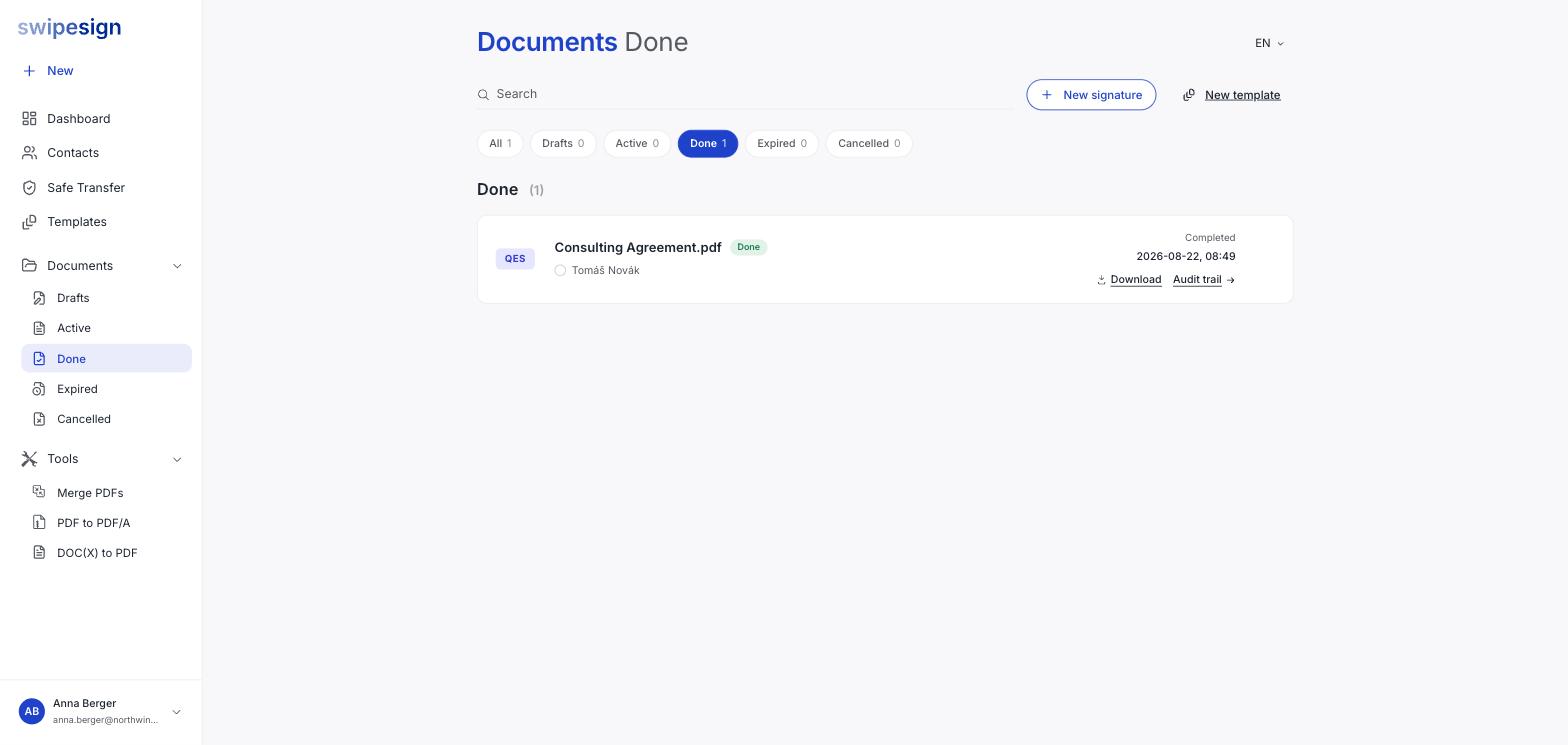
What the row tells you
- The signature standard, a QES or AES badge on the left.
- The workflow name, and its status badge.
- Each recipient, with a marker showing whether they have signed.
- Last modified while it is in progress, Completed once it is Done.
Done is not permanent storage
A completed document is available for 14 days and then deleted. Reaching Done is the moment to download, not the moment to relax. See Download signed documents.
Expired is avoidable
The expiry is yours to set when you build the workflow, and the default is a month. If your documents routinely expire, set a longer window rather than chasing signers. See Expiry, PIN access, signing order and reviewers.