
The bottom of the builder panel counts up what you have built: Files, Signers, Fields placed, and the Expiration. Read those four numbers before you do anything else.
The one that catches people is Fields placed. If it is lower than your signer count, at least one person has nowhere to sign. See Place signature fields.
The send dialog
Send opens a confirmation listing the workflow name, the file and signature count, and every recipient with the address it is going to.
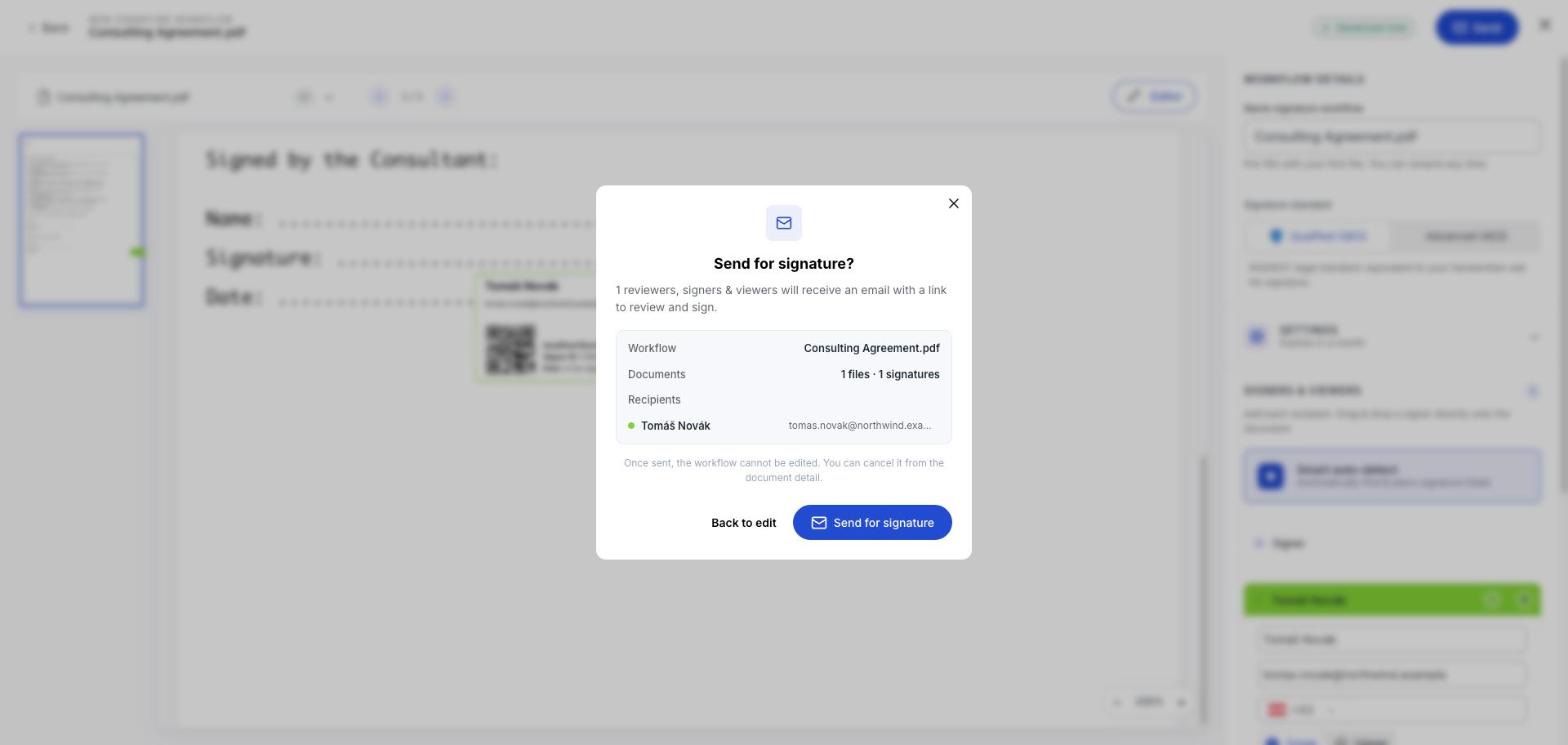
Read the addresses. This is the last moment a typo costs nothing to fix: Back to edit returns you to the builder with nothing sent.
What happens next
A banner confirms the document is being prepared and that your signers will be notified shortly. The workflow moves from Drafts to Active.
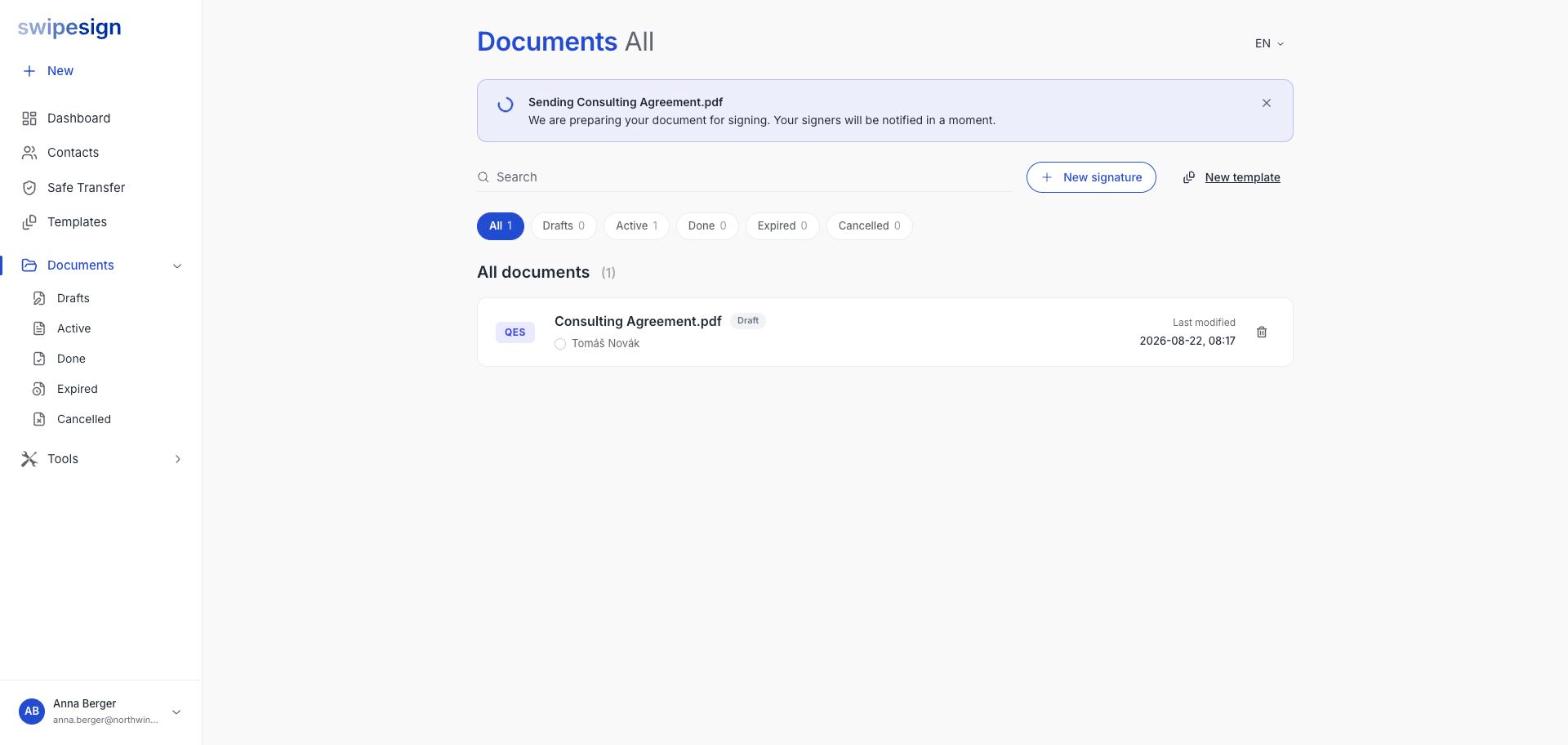
From there you can follow it, nudge people and cancel if you need to. See Drafts, Active, Done, Expired and Cancelled.
A last check before sending
- Right document, right version.
- Every signer has a field.
- Addresses spelled correctly.
- Phone numbers filled in, if this is an AES.
- Expiry far enough out to be realistic.
- Signature standard correct: it cannot be changed later.