
Needs attention sits on the dashboard and looks for documents that have stalled: the ones you would otherwise only notice when somebody asks where the contract got to.
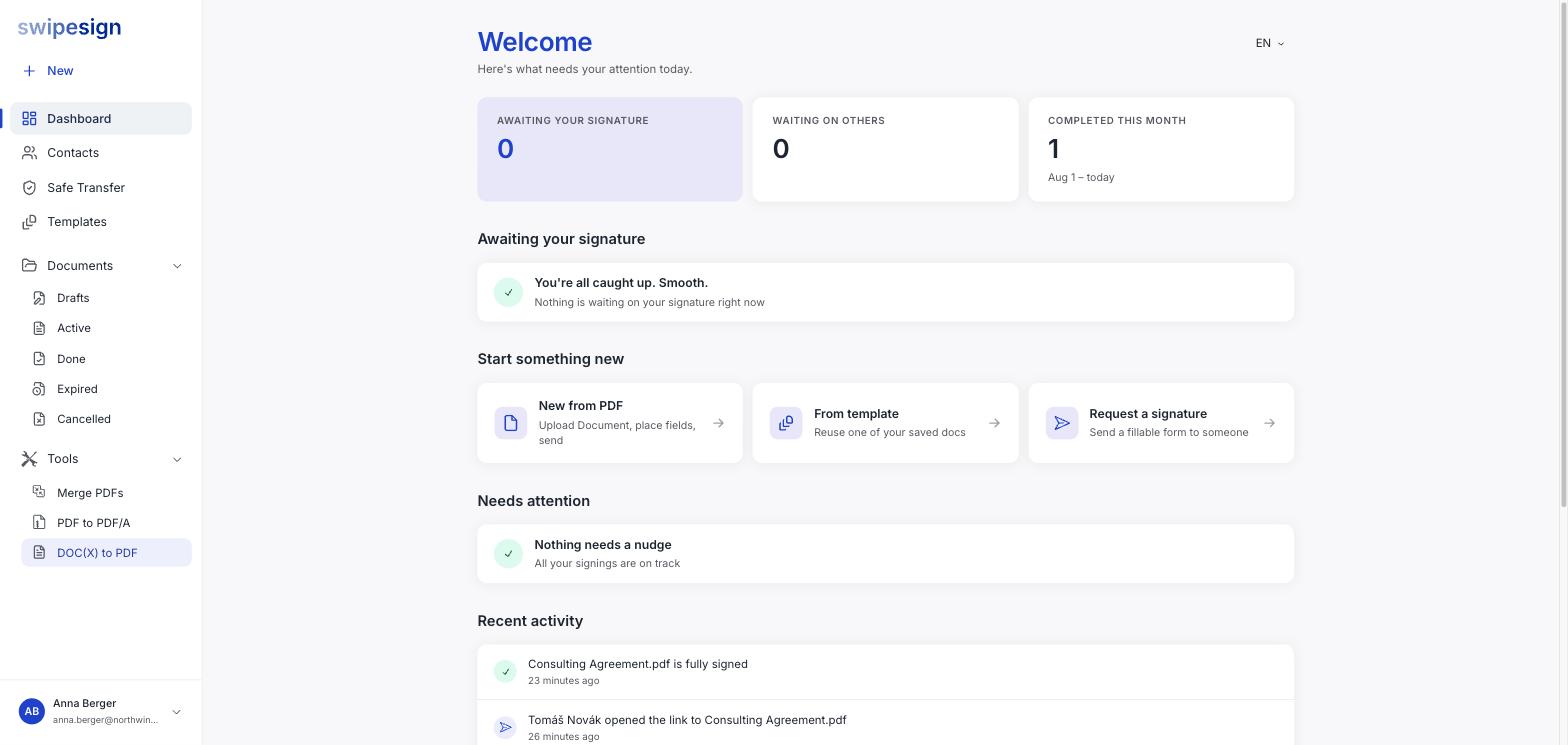
When nothing is stuck it says so: Nothing needs a nudge. All your signings are on track. That is the state you want it in.
What it flags
| Flag | Means | Usually do |
|---|---|---|
| Sent days ago, still unopened | The invitation has not been clicked at all | Check the address, then resend: it may never have arrived |
| Deadline approaching | The expiry is close and someone still has not signed | Chase directly, or cancel and reissue with a later date |
| Waiting on a reviewer | A review has been sitting unanswered | Ask the reviewer: the document cannot move until they act |
| Declined | Somebody rejected the document | Find out why, then rebuild and resend |
Unopened and declined are the two that cost real time. An unopened document usually means an email problem rather than a slow signer, and a declined one is going nowhere until you deal with the reason.
The rest of the dashboard
- Awaiting your signature: documents other people sent you, with the earliest deadline first.
- Recent activity, a feed of everything that happened lately: opened, signed, downloaded, expired.
- The stat tiles: awaiting you, waiting on others, and completed this month.
It does the job the noisy emails do
If per-signer notification emails have stopped being read, this panel is the reason you can safely turn them off and keep only completion and expiry. See Email notification settings.