
The Settings page controls what swipesign emails you as a sender. Each notification is a toggle, on by default.
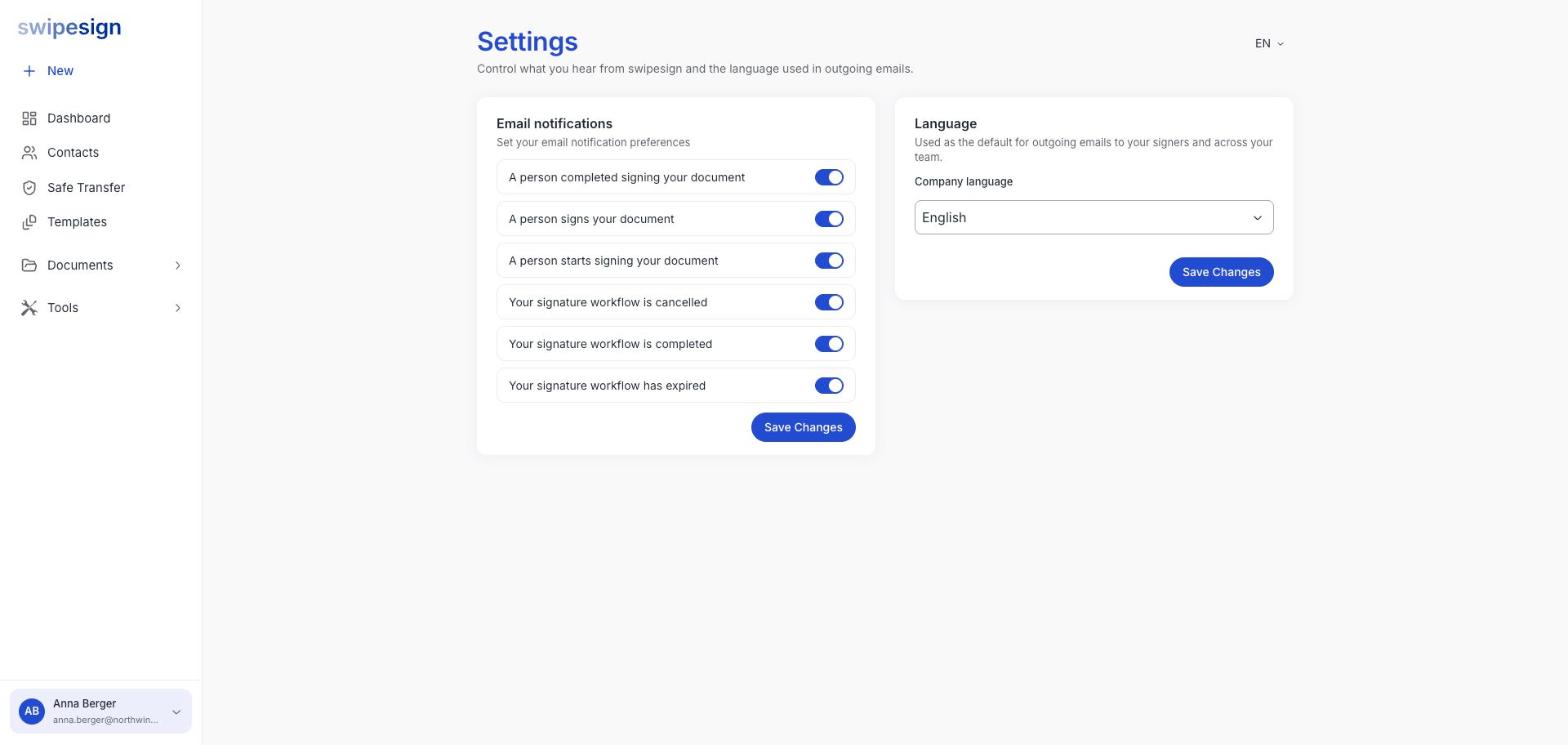
| Notification | Fires when |
|---|---|
| A person starts signing your document | Someone opens the link and begins |
| A person signs your document | One signer finishes |
| A person completed signing your document | A signer is fully done, including identity verification |
| Your signature workflow is completed | Everyone has signed: the document is finished |
| Your signature workflow is cancelled | You or a colleague cancelled it |
| Your signature workflow has expired | It hit its expiry date unsigned |
Which to keep
If you send more than a few documents a week, the per-signer ones get noisy fast: three signers means three emails per document, and you'll stop reading them.
The two worth keeping on whatever your volume: completed and expired. Completed is your cue to download the file, which matters because documents are deleted after 14 days. Expired tells you a deal quietly died.
What this does not control
These are your notifications, not your signers'. The emails your recipients get, the invitation, reminders, the completed copy, are part of the signing process and aren't switched off here.
Nor do they cover everything swipesign sends you. Team invitations, allowance warnings, password resets and verification codes go out regardless: they are part of the account working, not notifications about it.
Settings are per person. Changing yours does nothing to your colleagues.