
The dashboard answers one question, what needs you today, and it is laid out in that order.
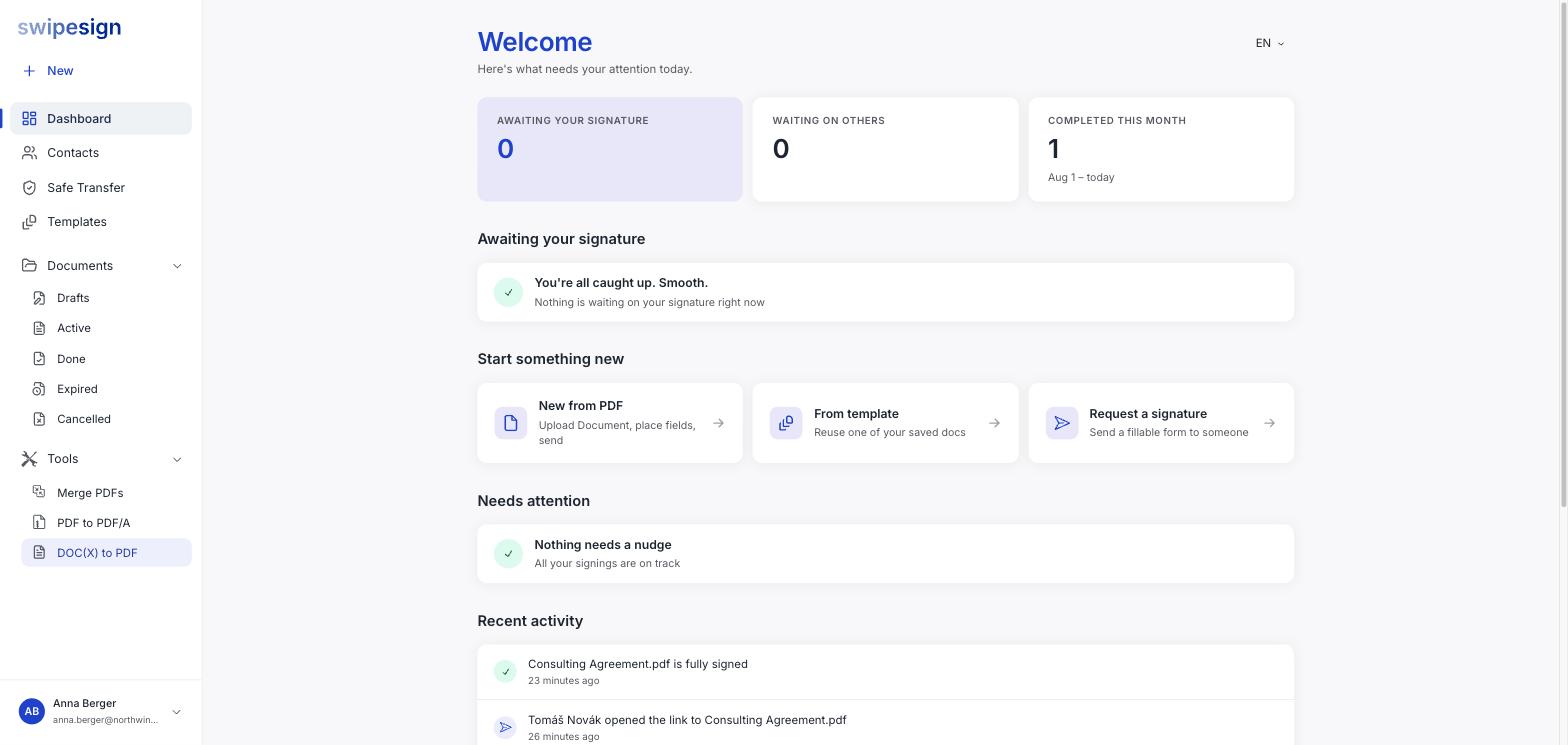
The three tiles
| Tile | Counts |
|---|---|
| Awaiting your signature | Documents other people sent you that you have not signed |
| Waiting on others | Documents you sent that are not finished |
| Completed this month | Finished workflows in the current period |
Awaiting your signature
Documents waiting on you, earliest deadline first, each with a Sign button. When it is empty it says so: You are all caught up.
Worth knowing: things people send you land here rather than in Documents, which lists what you sent.
Start something new
- New from PDF: upload a document, place fields, send.
- From template: reuse something you have set up before.
You can also drop a file straight onto the dashboard to start a workflow. See Start a signature workflow.
Needs attention
The one to actually read. It surfaces documents that have gone quiet: unopened invitations, approaching deadlines, stalled reviews, declined documents. See What "Needs attention" is telling you.
Recent activity
A feed of what has happened lately, opened, signed, declined, downloaded, expired, with relative timestamps. Useful for "did that ever go through?" without opening the document.