
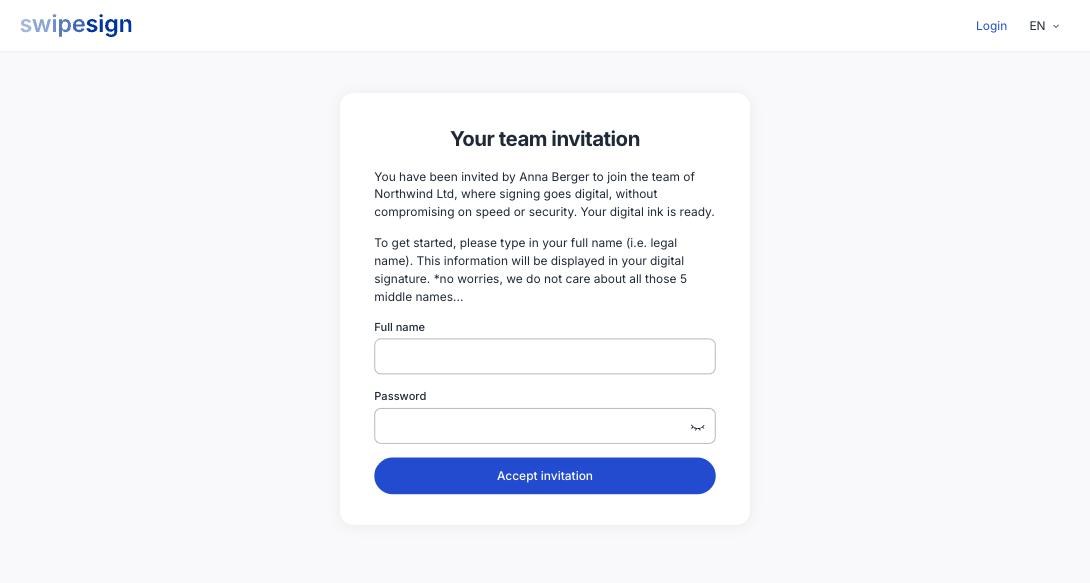
Somebody has added you to their swipesign workspace. You get an email inviting you to set up your account: open it and follow the link.
What you fill in
Your name and a password. The person who invited you supplied only your email address, so everything else is yours to enter.
Once you accept, you appear in their Team list as Active with the Member role, and your name replaces the email address that was standing in for you.
You still verify yourself
So expect the same checklist a new account gets: verify your phone, verify your identity, and then you can send. The plan is already taken care of: that belongs to the workspace, not to you. See Verify your identity.
What you can do as a Member
Create and send your own documents, manage your own profile and notification preferences, and use everything on the plan. Company-wide settings, the default language, the subscription, the team itself, stay with the administrator. See Roles and statuses.
If the invitation never arrives
- Check spam: it comes from swipesign, not from your colleague.
- Ask them to confirm the address they used, then resend from their Team page.
- If the address was wrong, they delete the invitation and send a new one.