
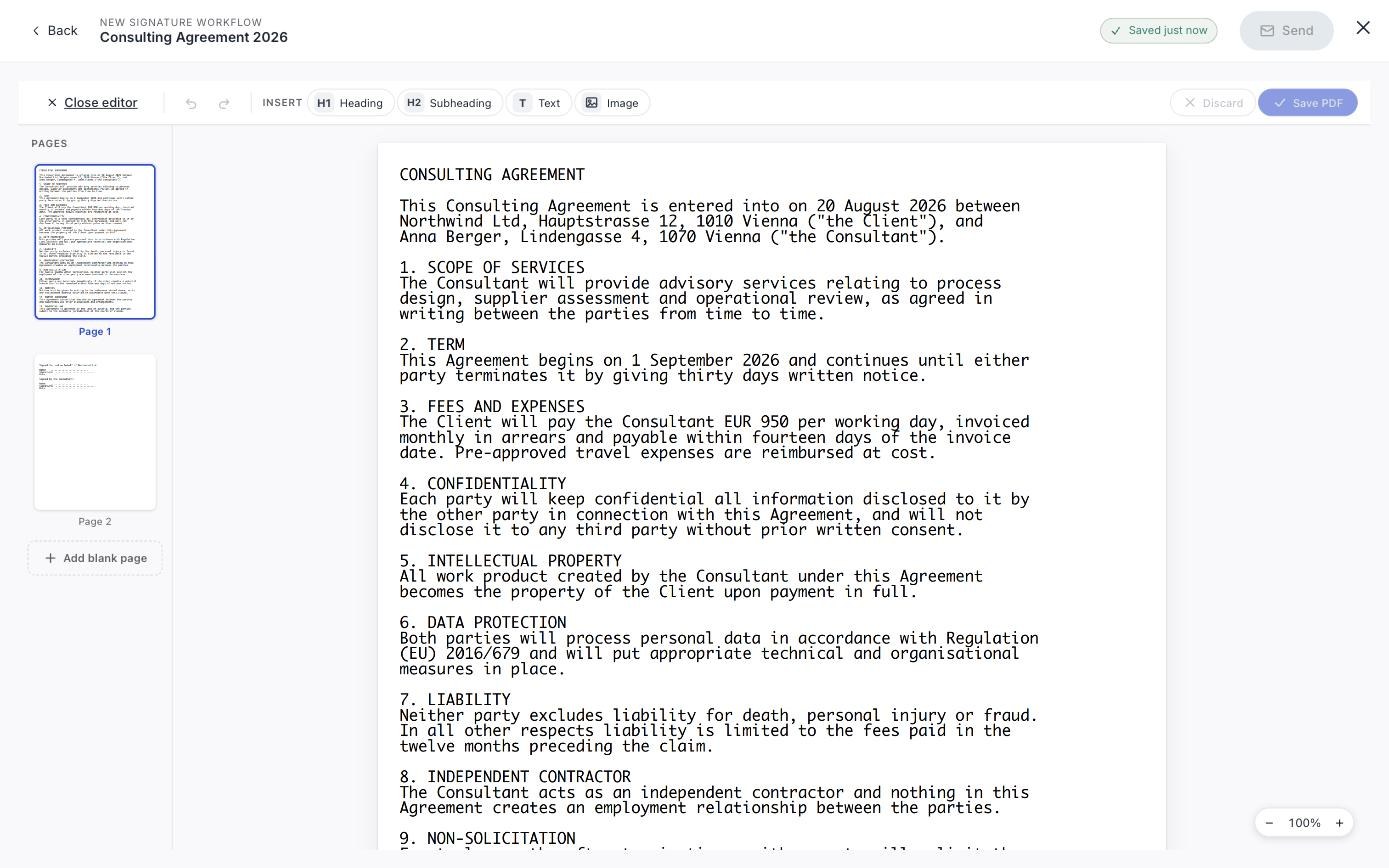
You uploaded the contract, placed the fields, and then spotted the wrong date in clause 4. You do not have to go back to Word. Editor in the workflow toolbar opens the document for editing in place.
What you can change
The three that save the most time
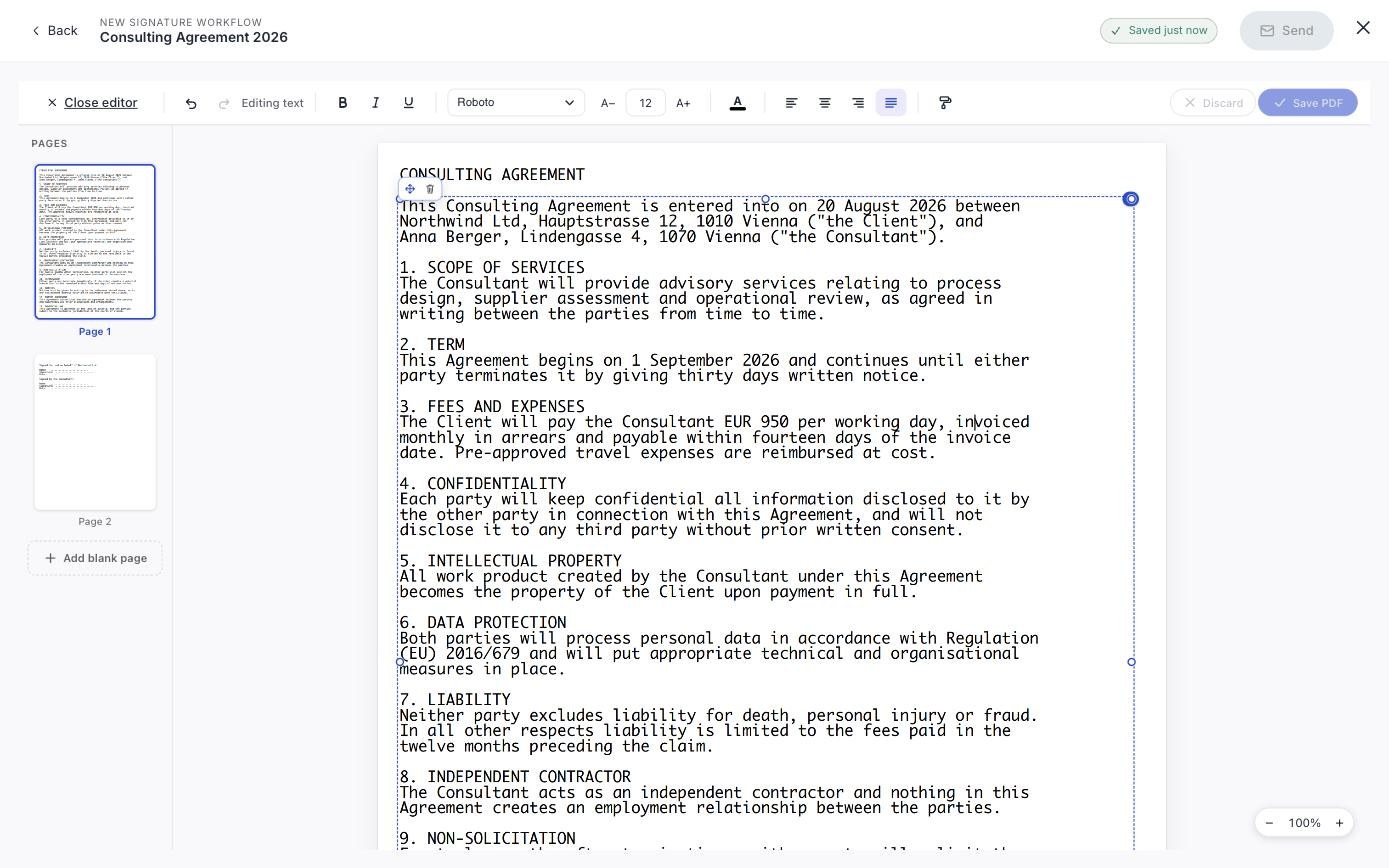
Most of the editor explains itself. These do not, and they are the ones that save time.
- Find and replace:
Ctrl + Fopens it, with a match counter and prev/next. It searches the real text, and Replace all will swap every occurrence at once. This is how you change a party name throughout a contract in one go. - Copy formatting: the paintbrush at the end of the text toolbar. Copies the styling of one piece of text onto the next thing you select. The fix for pasted-in text that looks wrong.
- Insert anywhere: Heading, Subheading, Text and Image are armed from the toolbar, then you click the page to drop them.
Keyboard shortcuts
Cmd + F is taken by the browser's own find bar, which searches the page rather than the document. Ctrl + F reaches the editor.| Shortcut | Does |
|---|---|
Ctrl + F | Find and replace |
Cmd/Ctrl + S | Save changes |
Cmd/Ctrl + Z | Undo: add Shift to redo |
Cmd/Ctrl + B / I / U | Bold, italic, underline |
Cmd/Ctrl + + / - / 0 | Zoom in, out, reset |
T / H / I | Insert text, heading, image |
| Arrow keys | Nudge the selected object |
Delete | Remove the selected object |
Esc | Cancel whatever you are in the middle of |
Saving, and not losing work
- 1Make your changes. The status line tells you what mode you are in.
- 2Preview to see the document as it will be saved.
- 3Save changes to write it back.
Edit before you send, not after
Once a workflow is out, the document is frozen: for you as much as for anyone else. The editor is a pre-send tool. See Check it before you send.
And if there is no document yet at all, you can build one from a blank page instead: Create a PDF from scratch.
Can I edit a document that has already been signed?
No, and no other tool should let you either. Editing a signed PDF breaks the signature it carries, which is the entire point of a signature. Cancel the workflow and start again with the corrected file.
What happens to my signature fields when I edit?
They stay where you put them on the page. If your edit moves the text underneath, check the fields still line up before sending.
Can I edit a Word file?
Upload it and swipesign converts it to PDF first: you then edit the PDF. For anything structural, editing in Word and re-uploading gives a better result.