
By default a signature workflow is private: only you can see it. The document detail page says so under Settings: Sharing: private.
To change it, switch on Share signature workflow with team members under Settings in the builder.
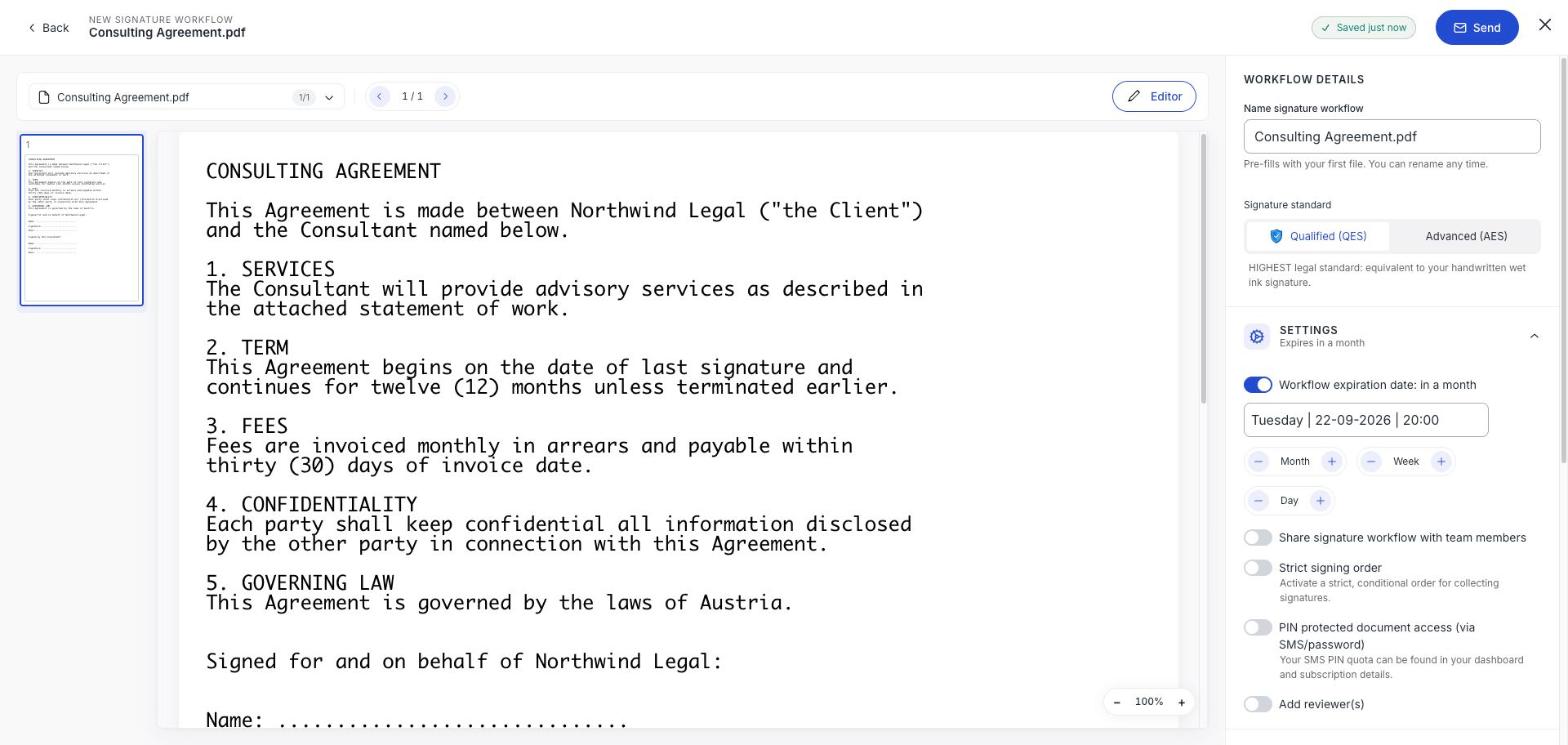
What sharing does
Colleagues in your workspace can find the workflow, see its status, and check the audit trail. It stops a document being invisible to everyone but its sender.
It changes nothing for your recipients. They see exactly what they would have seen anyway.
When to switch it on
- Anything a colleague might need to chase while you are away.
- Documents that belong to the company rather than to you: supplier contracts, client agreements.
- Anything where somebody else will need the signed copy or the audit trail.
- Anything with a deadline that will not wait for you to come back.
Keep it private for genuinely personal paperwork: your own employment documents, for instance.
Decide before you send
Sharing is part of the workflow settings, and a sent workflow cannot be edited. A private document stays private for its whole life, so if in doubt, share it: the cost of over-sharing inside your own team is much lower than the cost of a contract nobody else can reach.
It matters more than it looks
Completed documents are deleted after 14 days. If the only person who could download a signed contract is on leave when that clock runs out, the file is gone for good. See How long we keep your documents.