
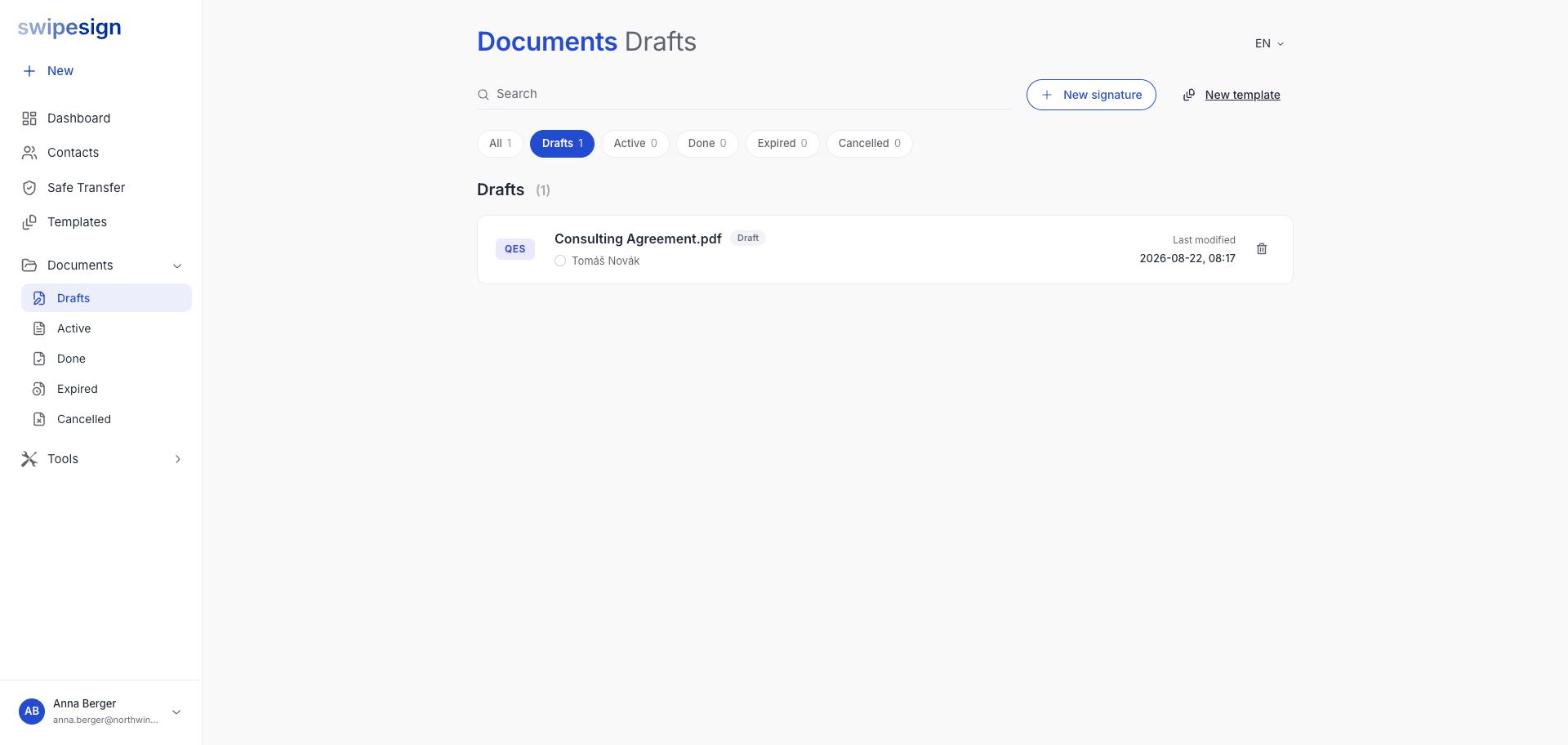
Drafts carry a delete icon on their row in Documents. Click it and the workflow goes, along with the file you uploaded.
It does not come back
Deleting removes the workflow and its document. There is no bin to recover it from, so if the file exists only in swipesign, download it first.
Delete or cancel?
| Status | What you want |
|---|---|
| Draft: never sent | Delete. Nobody has seen it and nothing needs withdrawing. |
| Active: already out | Cancel. Deleting is not the tool here; the signature requests need withdrawing. See Cancel a signature workflow. |
| Done: completed | Nothing to do. Download the file and the audit trail; it is deleted automatically after 14 days. |
Reusing a document you send often
There is no duplicate action. If you send the same document repeatedly, build it once as a template: that is what templates are for, and it is a better fit than copying anyway because it keeps roles rather than people.
See What templates are for and Create a template.
Tidy up your drafts
Half-built workflows accumulate quietly, a file uploaded then abandoned, a document started twice. They hold your uploads on our systems for no reason. Clearing them out occasionally is worth the minute it takes.