
Go to Templates and click New template. It works like the workflow builder, with one difference: you add roles rather than people.
- 1Upload the document. PDF up to 200 MB, and DOCX uploads are converted automatically.
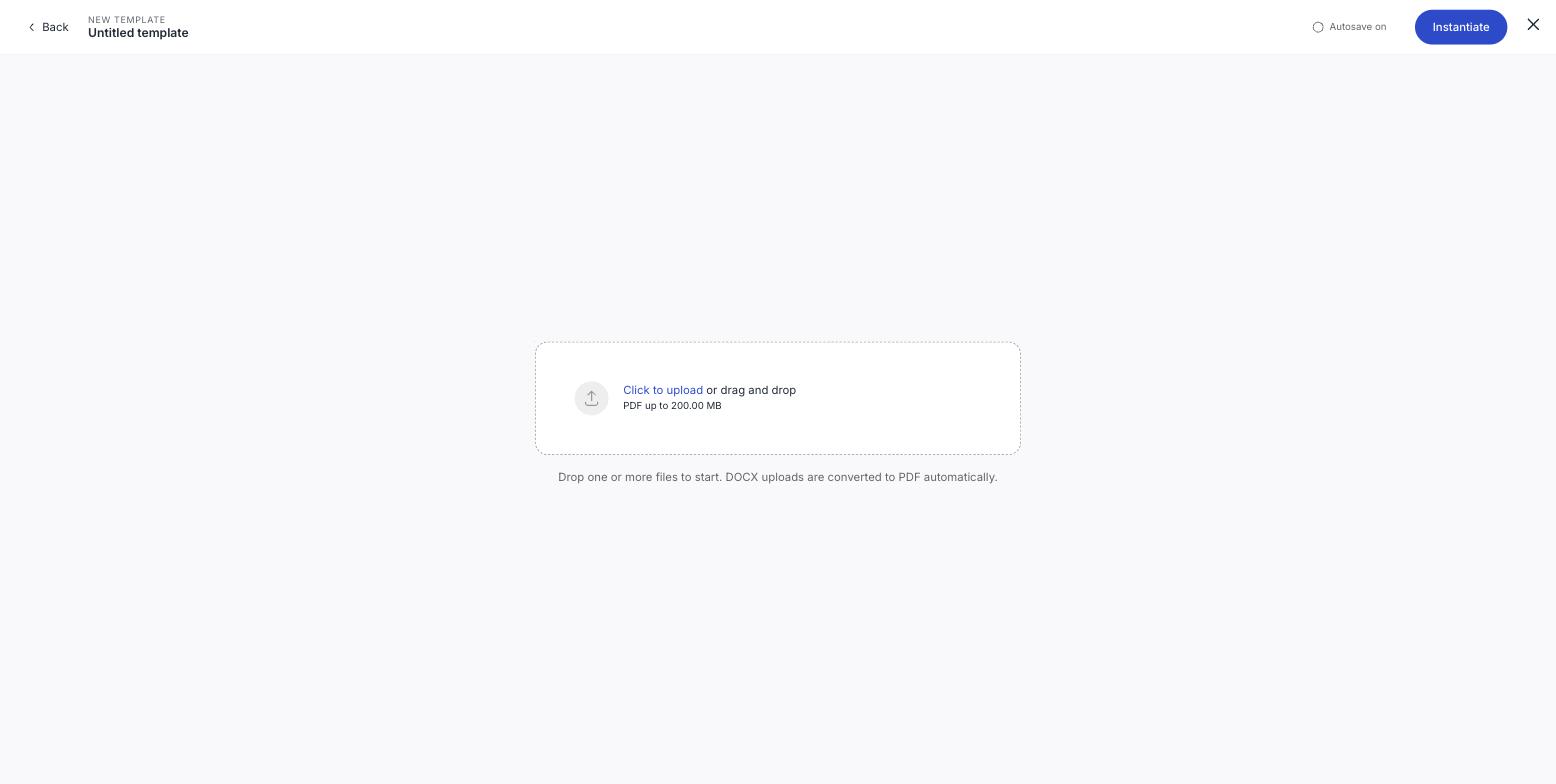
- 2Name the template. It pre-fills from the file name: change it to something you will recognise in a list, like "Contractor agreement" rather than "final_v3.pdf".
- 3Choose the signature standard. This is stored in the template, so every document made from it starts at that level.
- 4Click Add placeholder for each person who will sign, and give each one a role name: Consultant, Client, Witness. Set whether they sign or only view.
- 5Drag each placeholder onto the document where that role signs.
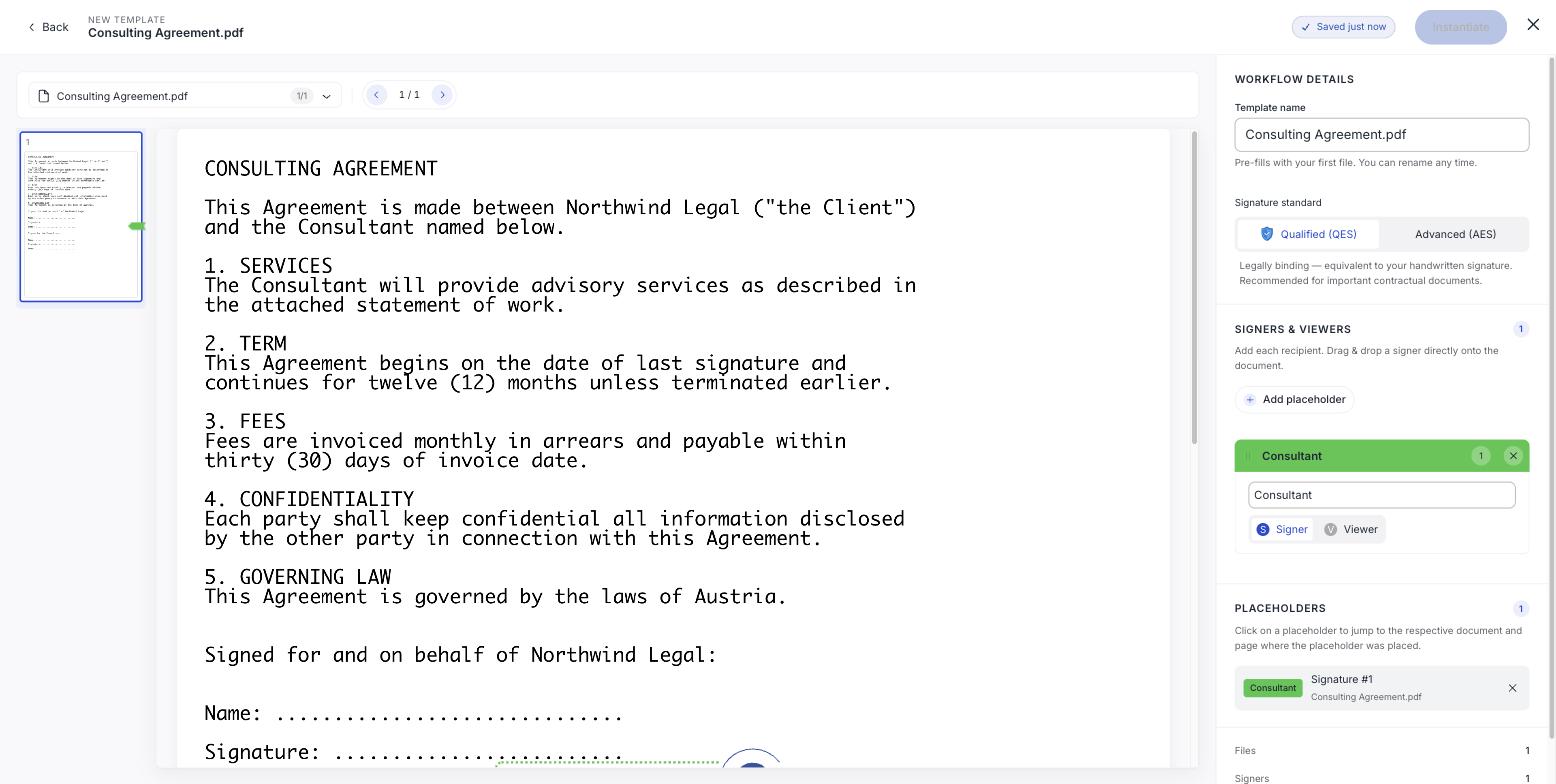
It autosaves as you go, so you can leave it and come back.
Naming roles well
The role name is what you will see when filling in real people later, so make it describe the part rather than a person. Consultant works for every consultant; Tomáš works once.
Placeholders have no contact details
A placeholder card has a name field and nothing else: no email, no phone. That is deliberate: the contact details belong to the person, and they are supplied when you use the template.
Get it right before you rely on it
A template is worth building carefully because every document made from it inherits the mistakes. Check the field positions on the real page, not the thumbnail, and confirm the signature standard is the one you want.
If the document changes, the template does not
Templates hold the file you uploaded. When your standard contract is revised, update the template: otherwise you will keep sending last year's terms without noticing.