
Your cards live on the Invoices page, next to the billing details. Whichever card is marked Default is charged automatically each billing cycle.
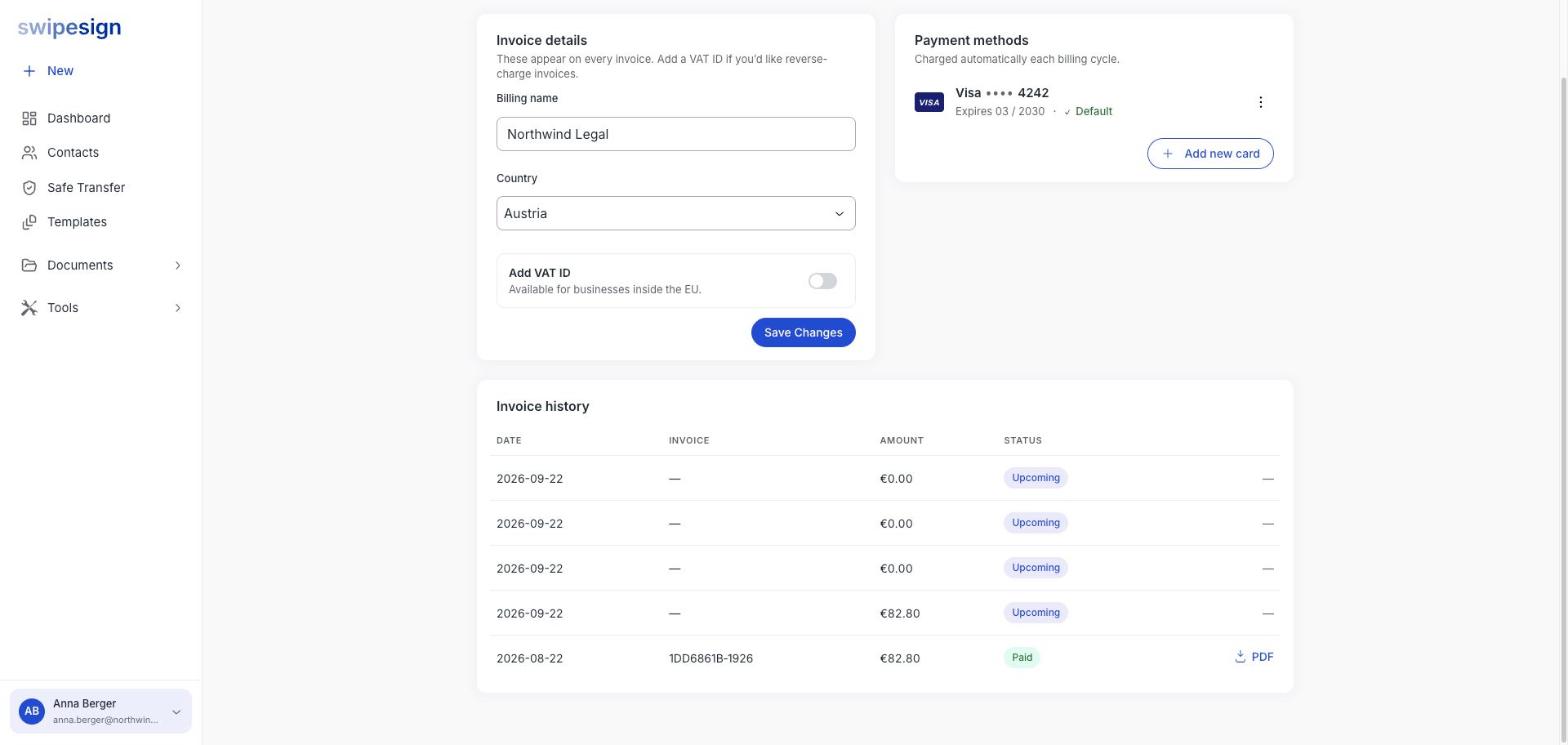
Add a card
- 1Click your name in the sidebar, then Invoices.
- 2Click Add new card and enter the details.
- 3Set it as the default if it should be the one charged from now on. The old card stays saved until you remove it.
We never see your card number
Card details go straight to our payment processor. swipesign stores the brand, the last four digits and the expiry date, and nothing else.
Replace an expiring card
Add the new one and make it default before the old one expires. Don't wait for a failed charge: sorting it out afterwards means a period where your subscription is in arrears. See A payment failed.
Billing address
Your billing name and country sit in the Invoice details card on the same page, and they are what appear on the invoice. See VAT ID and invoices.
Extra usage goes on the same invoice
Signatures, Safe Transfer transfers and SMS beyond your monthly allowance are billed with the subscription, so there is nothing separate to set up. See What counts against your allowance.