
Everything billing-related lives on one page: your name at the bottom of the sidebar → Invoices.
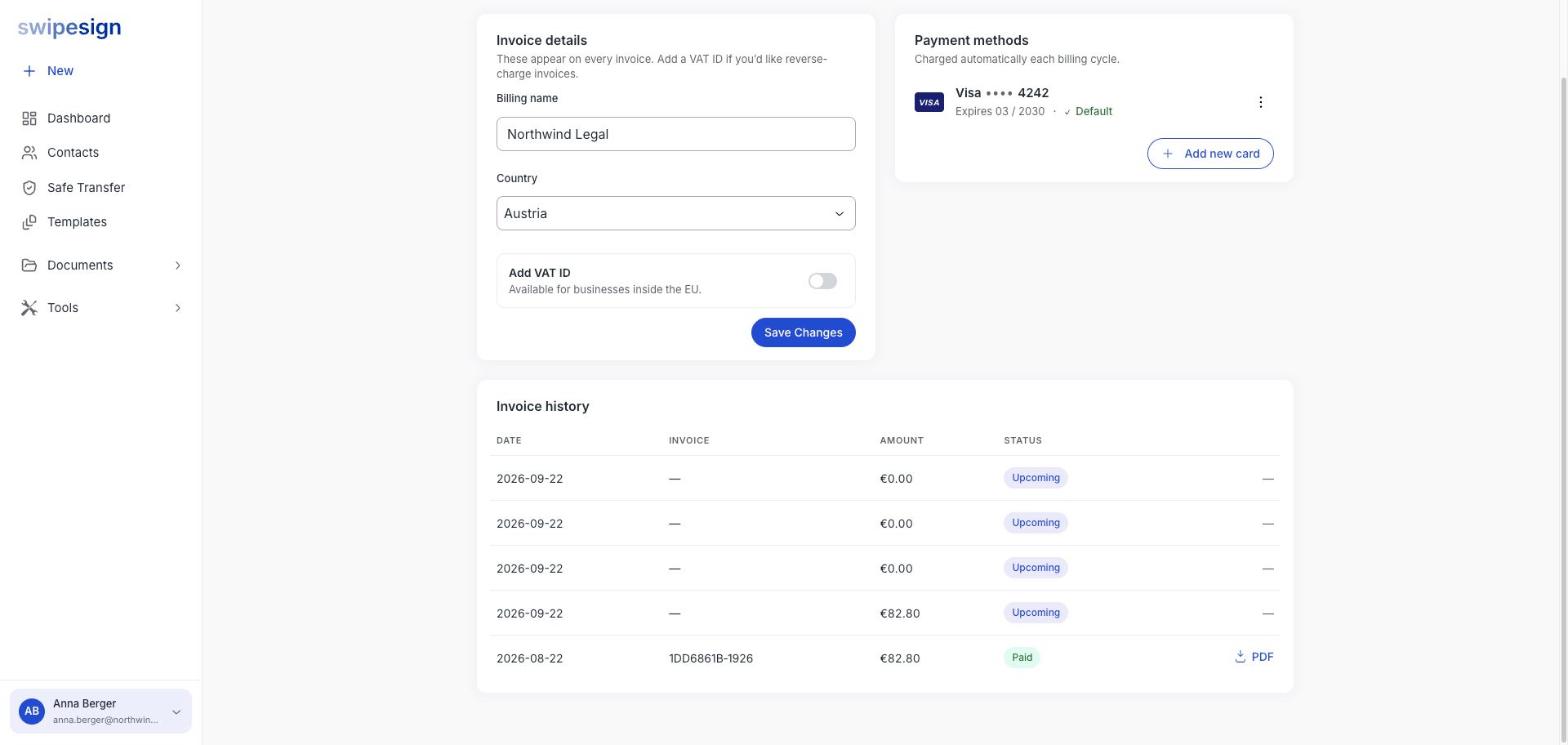
Invoice details
Your billing name and country appear on every invoice swipesign issues. Set them to whatever your accounts department needs to see: it does not have to match your workspace name.
Changes apply to invoices issued from that point on. They do not rewrite invoices you have already been sent.
Adding a VAT ID
Switch on Add VAT ID and enter yours. It's available to businesses inside the EU, and once it's validated your invoices are issued under reverse charge: no VAT added, and you account for it yourself.
All swipesign prices are net, excl. VAT. Without a VAT ID, VAT at your billing country's rate is added on each invoice: in Austria that turns a €49 subscription into €58.80.
Invoice history
The table lists every invoice with its date, number, amount and status.
- Paid: settled. Use the PDF link on the right to download it.
- Upcoming: scheduled but not yet charged. There's no PDF until it's issued.