
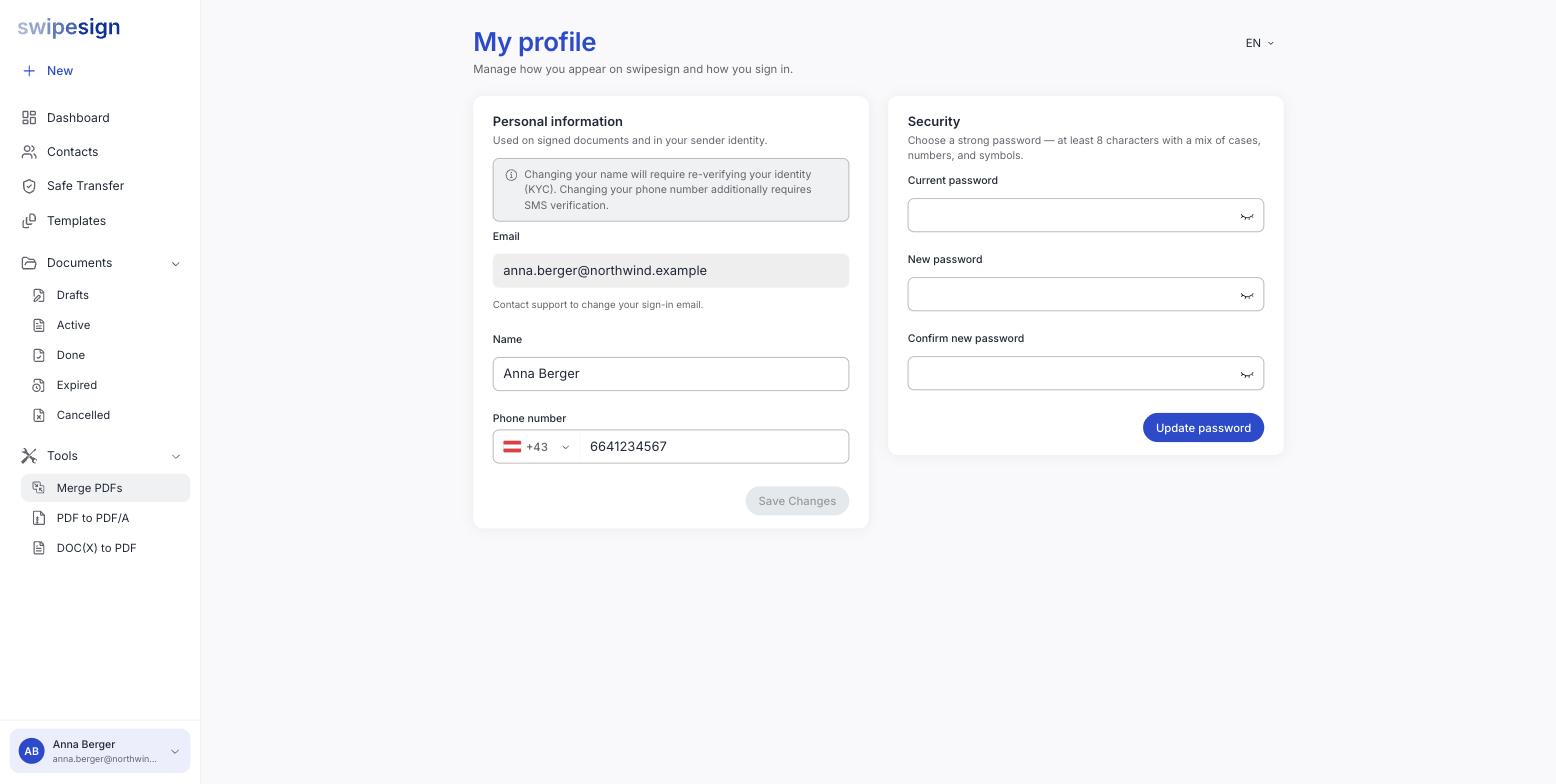
Your name at the bottom of the sidebar → My profile. The Security card on the right handles it.
Signed in with ID Austria? There is no Security card
Accounts that sign in with ID Austria have no swipesign password to change, so the card is not shown at all: your profile page has Personal info and nothing else. Your access is managed by ID Austria, not here.
Looking for your PIN?
A PIN belongs only to accounts that sign in with ID Austria: there is no PIN on a password account. It is set once during registration and cannot be changed afterwards, so if you need yours reset, ask us. The 6-digit codes texted to you when opening a protected document are something different again, and are generated fresh each time.
- 1Enter your current password. Knowing it is what proves the change is coming from you.
- 2Enter the new password twice.
- 3Click Update password.
What it will accept
At least 8 characters, with a mix of cases, numbers and symbols.
Length beats cleverness
A long passphrase of ordinary words is both easier to remember and harder to break than a short string of substitutions. Better still, let a password manager generate one: you will never type it anyway.
Why it matters more here than elsewhere
Your swipesign account can commit your company to agreements. Somebody in it can send documents in your name, see what you have signed, and, on an Advanced signature, the email inbox is part of how signers are identified.
Use a password you use nowhere else, and change it immediately if you think it has been exposed.
If you have forgotten it
You cannot change it from here without the old one. Use Forgot password on the sign-in screen instead, and follow the link that arrives by email.
Leaving the company?
Do not hand your account over by resetting the password for a colleague. The identity verification behind your signatures belongs to you personally. Your administrator should suspend your account and invite the replacement. See Suspend or remove a team member.