
In the builder, click + Signer. Above the options there is a search box: search by name, email or phone.
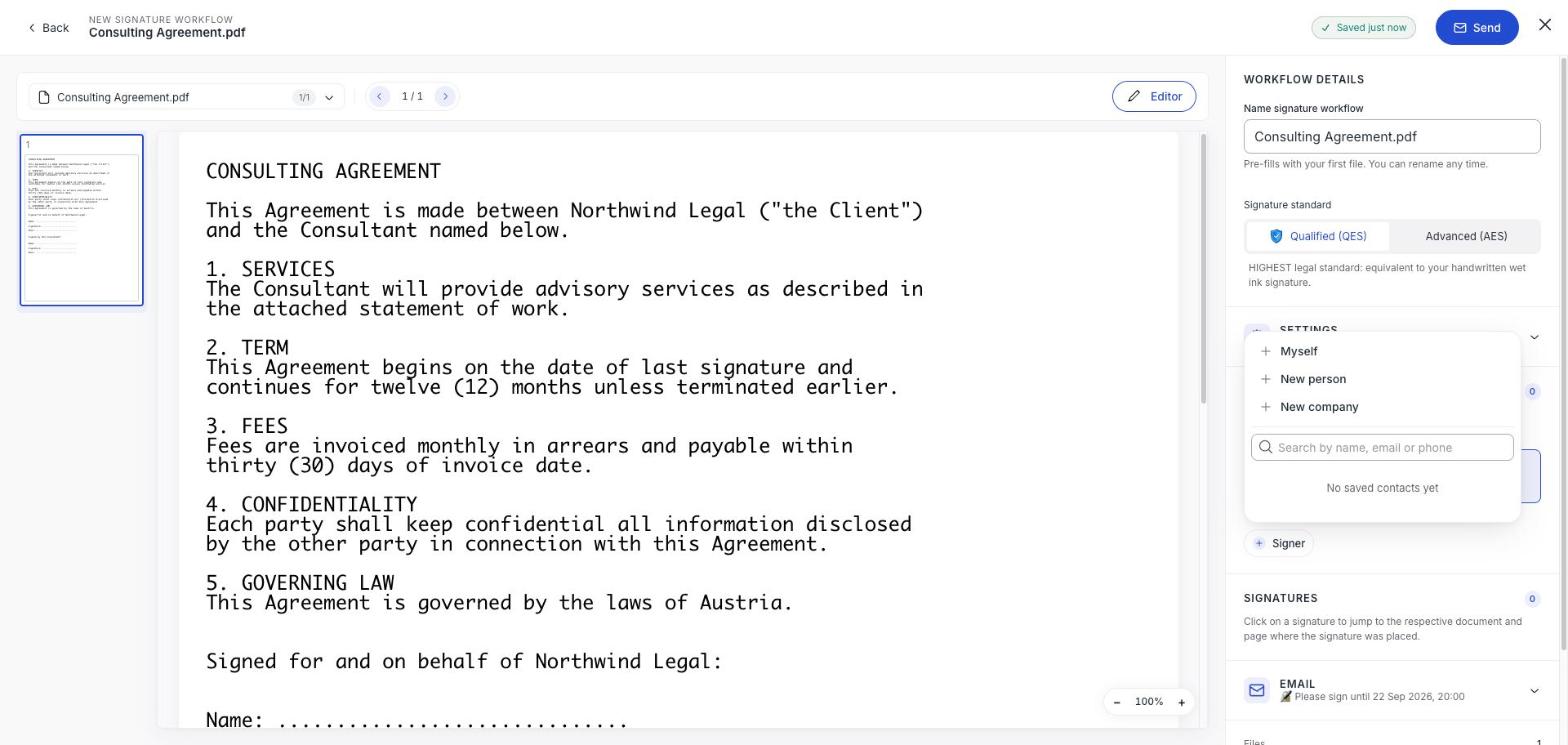
Start typing and matching contacts appear. Pick one and their card is filled in: name, email and phone number, if you saved it.
If you have not saved anyone yet it says No saved contacts yet, and you type the person in directly with New person.
Check what came across
A contact fills in whatever it holds, which means a contact saved without a phone number produces a signer without one. On an Advanced signature that triggers the Weak AES warning.
Fix it on the card if you just need this document to go out, and fix it in Contacts as well so the next one starts clean. See Save and reuse contacts.
Editing here does not update the contact
Changing an address on a signer card affects this workflow only. If someone has genuinely changed email, update the contact record too: otherwise the old address comes back next time.
Still read the address before sending
Picking from a list removes typos, not wrong choices. Two people with similar names is exactly how a document goes to the wrong one, and a sent workflow cannot be corrected: only cancelled. See Check the summary and send.