
Open Safe Transfer and click a transfer to see where it stands.
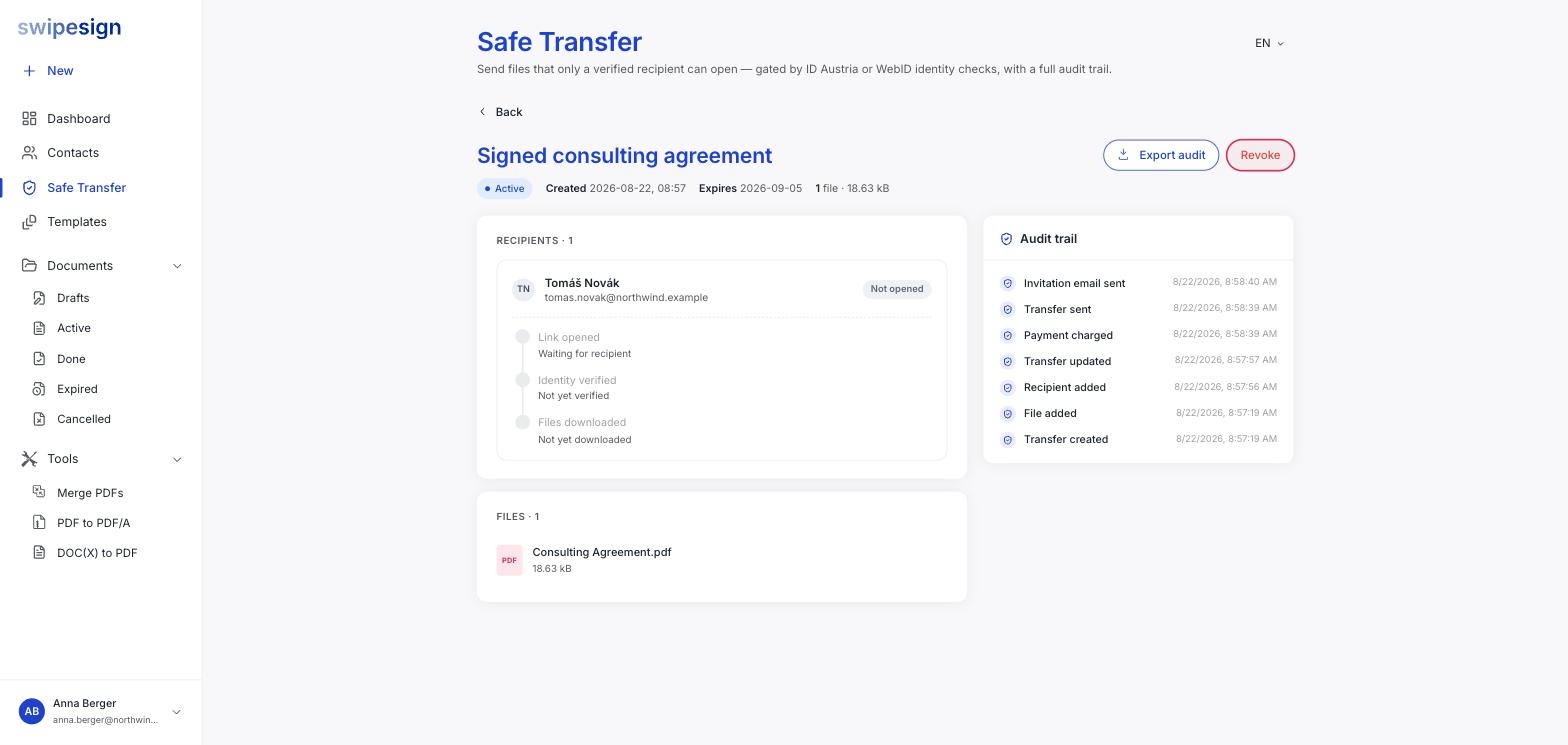
Recipient progress
Each recipient shows three steps in order, so you can tell the difference between "has not looked" and "looked but could not get in".
| Step | Means |
|---|---|
| Link opened | They clicked through from the email. |
| Identity verified | They passed the ID Austria or WebID check. |
| Files downloaded | They actually took the files. |
The list view shows the same thing compressed, a 0/1 verified style counter per transfer.
The audit trail
The panel on the right logs everything with a timestamp: transfer created, file added, recipient added, transfer updated, payment charged, transfer sent, invitation email sent, and then the recipient-side events as they happen.
Export audit at the top of the page gives you the record as a file to keep, as PDF or CSV.
This is the bit that matters afterwards
The point of Safe Transfer isn't only that the right person got the files: it's that you can show it. Export the trail and file it alongside whatever you sent.
Transfer statuses
| Status | Means |
|---|---|
| Active | Live. Recipients can still verify and download. |
| Consumed | A one-time transfer that has been downloaded, so the link has closed itself. |
| Expired | The expiry date passed. Nothing was downloaded after that point. |
| Revoked | You closed it early. See Revoke a transfer. |