
The audit trail is the evidence behind a signature. Every meaningful thing that happens to a document is timestamped and recorded, and unlike the document itself, the trail is kept.
Where to find it
Open Documents, find the workflow, and click Audit trail. It also sits as a tab on the document detail page next to Summary.
What's in it
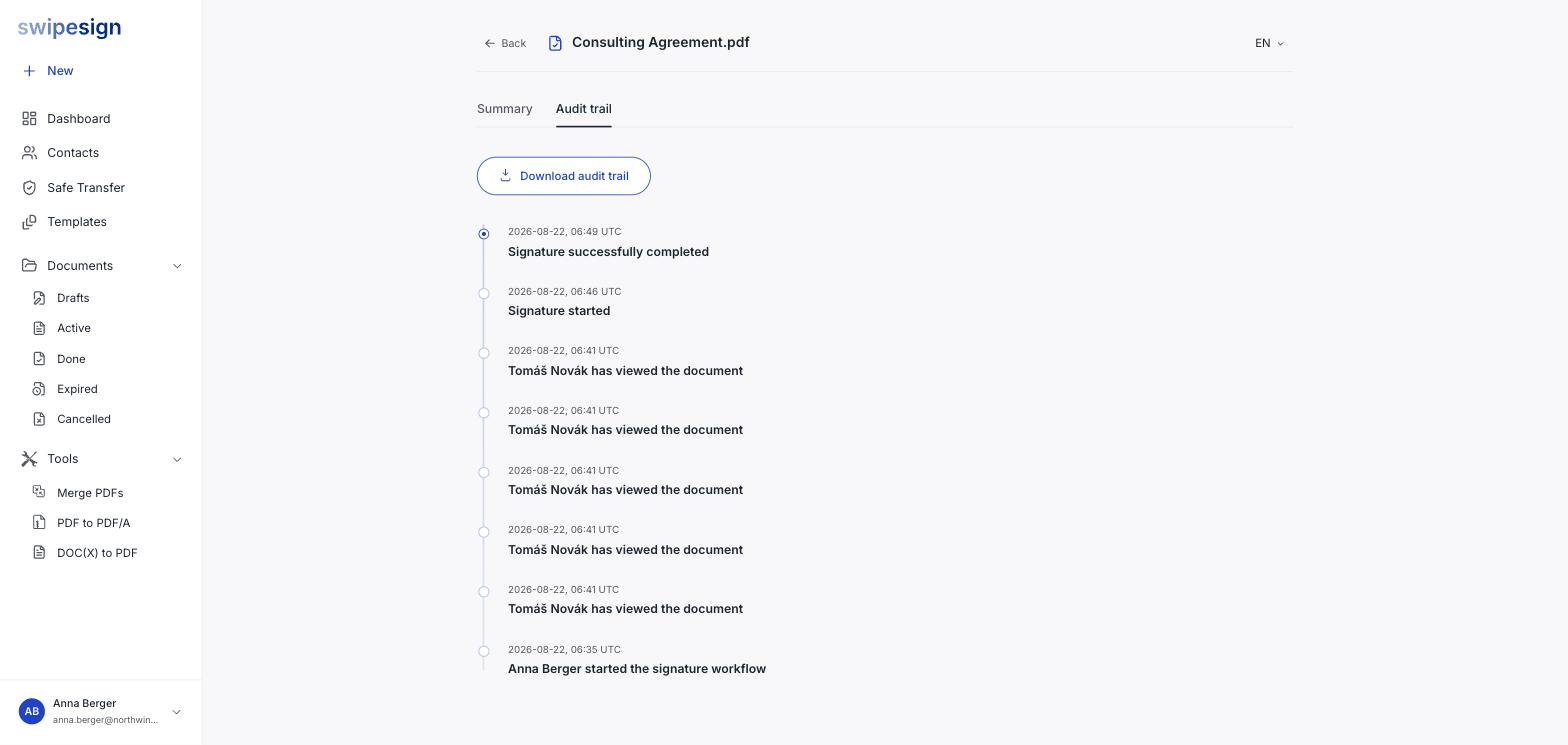
A timeline, newest first, of every event on the document:
- When the sender started the signature workflow, and who they are.
- Every time a recipient opened the document: each view is a separate entry, so a signer who came back three times shows three times.
- When the signature process was started.
- When it completed.
Every entry carries a UTC timestamp, so the record reads the same regardless of where you or your signers were.
Why it matters more than the document
Documents are deleted 14 days after completion. The audit trail is not: it holds the certificate and cryptographic metadata that proves a signature was sound, without holding the contents of what was signed.
So if a signature is ever questioned, we can always help you show that it happened, who made it, and that the document hasn't changed since. See How long we keep your documents.
Verifying independently
The signature itself is what a third party checks, not our record of it. It carries a certificate issued by a qualified trust service provider, and any standards-compliant PDF reader or validation service can verify it, including that the document is unaltered since signing. That check doesn't involve swipesign at all, which is the point.